It is still in preview but has massive potential, to manage access of views via security roles. Microsoft announced this and I saw a few community members blogging already about it but I must admit, I was a bit skeptical in the beginning but after having a chat with Megan Walker (blog here) she convinced me of the potential of this feature. So this made me curious to get hands-on experience myself. A link to the official Microsoft documentation can be found here.

Segregating data within model-driven apps, I have had this request a couple of times already. There are some features that allow you to do a (small) bit:
- On an individual column level, you could apply Column Security Profile (Field level security) this allows to you decide who can see the data in the column
- Hide system views, imagine the use case where you have different system views for regions or business units of your company, you could ask the users to hide the system views themselves that they do not need. Probably not a great thing to do when it comes to adoption but it is a way😎 (created a post about this a while back, link here)
- Create seperate business units and custom model-driven apps for each region and or business unit and only add those views. Not great when it comes to maintenance
How to configure manage access of views via security roles?
In order to configure this functionality you need to have the Organisation Settings Editor installed in your environment. You can find the steps on how to do this here.
- Open the OrgansationSettingsEditor solution
- Find the EnableRoleBasedSystemViews

- Click Add
- Once pushed click on the Edit button
- Change the false to true and select Update

Use case for managing access of view via security roles
Imagine that you have a company structure that looks like the following below. Couple of important notes/criteria beforehand:
- Within the power platform they all operate within the same business unit but they are not interested in eachothers opportunities since different services are being offered.
- They all have their own Opportunity Form which is tailored to their needs, which is controlled by a security role
- They do want to use the same single Sales Model-driven app

When you look at the Opportunity table, the following system views are created:
- Open Opportunities Americas
- Open Opportunities Europe
- Open Opportunities Middle East Asia
Out of the box, there are 25 system views for the Opportunity table, I have added the three above so in my use case there are 28.
Now I will apply security roles for the views above, you can do this by:
- Open the Opportunity table and select Views
- Select Open Opportunities Americas and hit the three dots
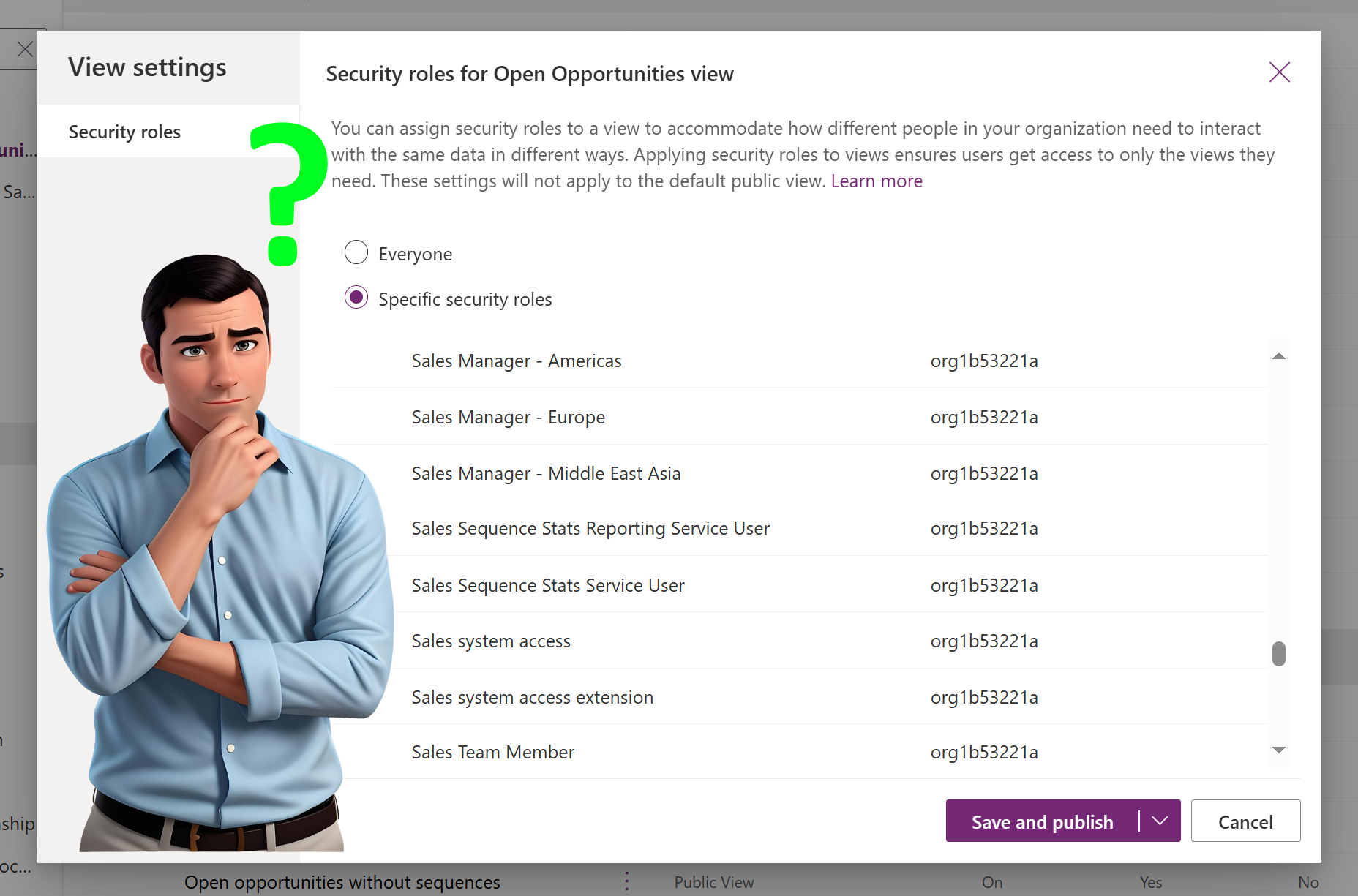
- Navigate to View Settings

4. In the View settings you can see that the default is Everyone, select Specify security roles and select
Sales Manager – Americas.
5. I have repeated these steps for Europe and Middle East Asia

How does the manage access of views via security roles work in practice
To me personally this is the bit why perhaps the functionality is still in preview and it is good to know this before you immediately see this as a solution for your usecase.
Knowing that there are
- 25 system views for the opportunity table
- 3 custom system views are added by me and I have applied the security roles for the specific regions
- default value of the setting is available for Everyone
Now comes the trick, imagine you have a user that only has the Sales Manager – Americas security role, how much system views would he or she see when checking the opportunity table?
My initial expectation would be the 25 by default and from the 3 custom system views I would only see 1, the one for Open Opportunities – Americas, which make a total of 26.

Now when you think about it that this is it, the “issue” is a bit bigger. This now applies to all tables, so Account, Contacts but also custom tables like the example below Recipes 😓


As you can see it seems that all of a sudden you need to configure for all views and tables what the security roles will be. So to conclude, it is still very promising but perhaps for a reason still in preview.