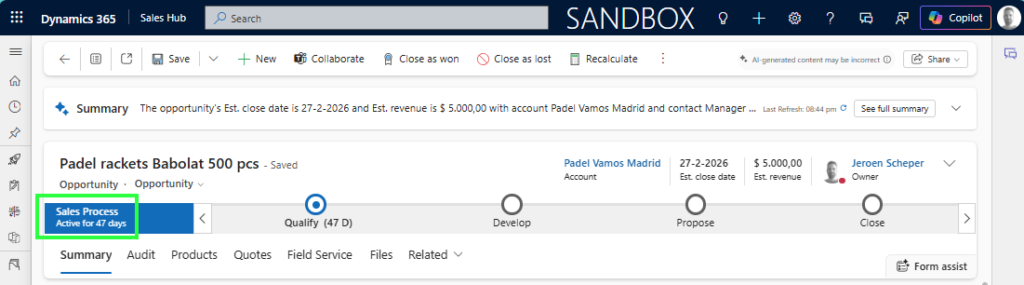
You probably recognize this: when using a Business Process Flow, the standard functionality allows you to see how many minutes/hours days the process is active. Have you ever thought about auditing Business Process Flow movements?
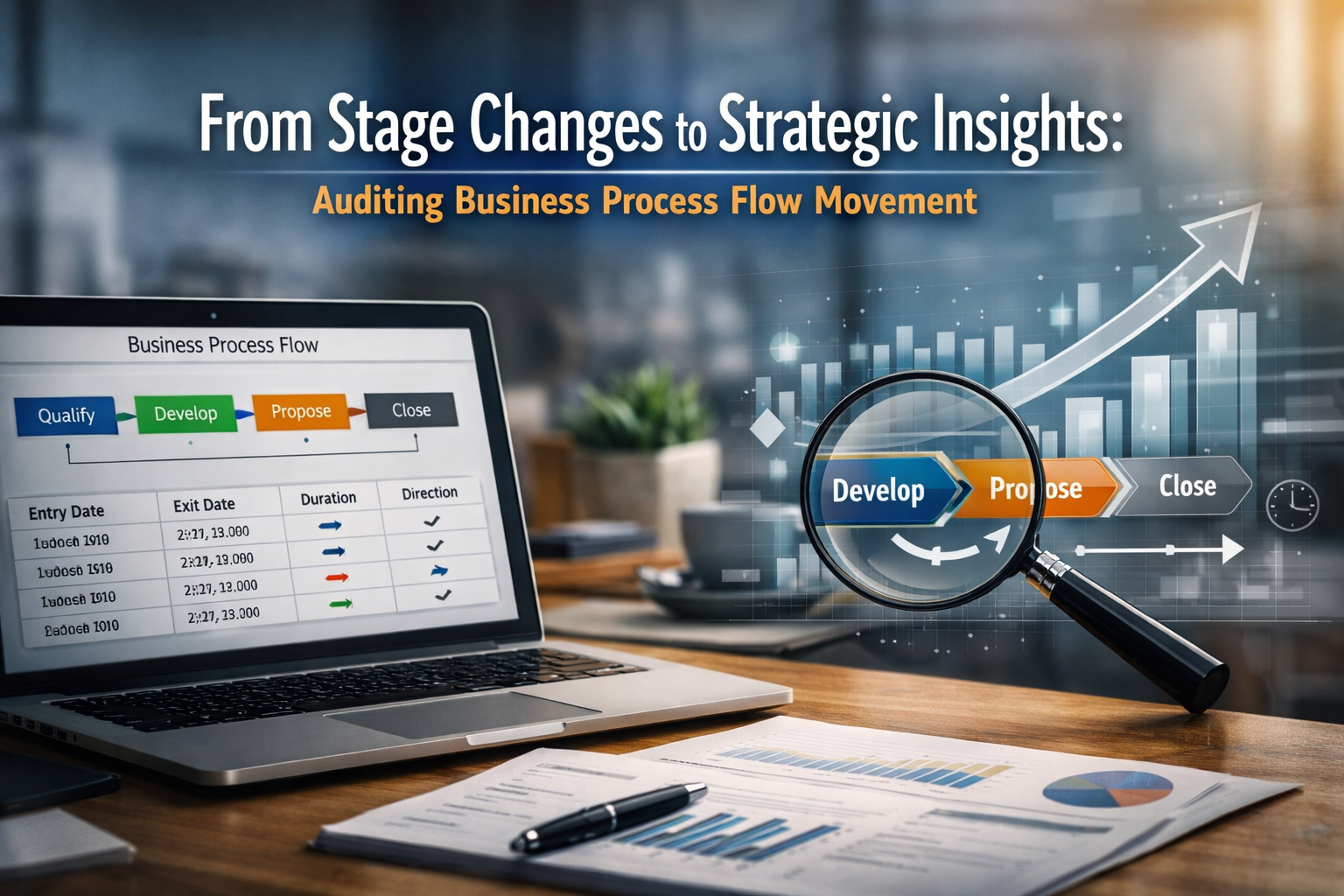
When you have a business process flow that aligns with your process, when auditing business process flow movements, this can give great insights, if you ask me.
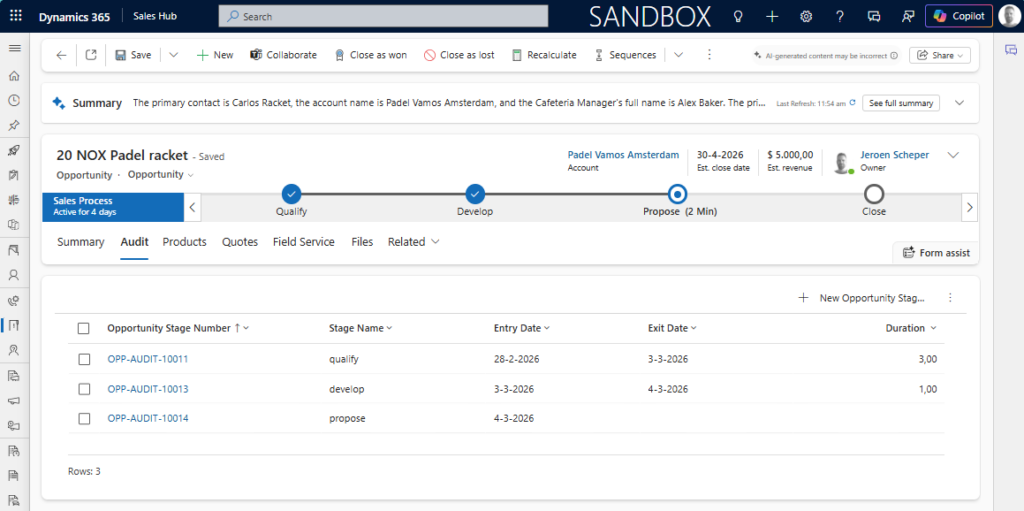
What potential insights could auditing business process flow movements give?
Below are 5 potential benefits when you start auditing business process flow movements:
1. Identify bottlenecks
By measuring stage duration in an audit as above, you can clearly see:
✅ Where opportunities get stuck
✅ Which stage consistently has the longest average time
✅ Whether delays are structural or user-driven
👉 Insight: “Propose” takes 2 times longer than “Develop” — why?
This can enable:
- Process optimization
- Targeted enablement
- SLA design per stage
2. Detects rework
Tracking forward vs backward movement reveals:
✅ How often do deals move back to previous stages
✅ Whether sales are pushing deals too fast
👉 Insight: 28% of opportunities move back from “Propose” to “Develop.” — why?
This can indicate:
- Poor discovery
- Weak qualification criteria
- Pricing or solution misalignment
3. Measure true speed
Instead of just tracking “Est. Close Date” of an opportunity, for example, you can calculate:
✅ Time spent per stage
✅ Total cycle time
✅ Speed trends over time or per other dimension
👉 Insight: Similar opportunities for the same type of work are going slower in “Region A” in comparison to “Region B” — why?
This allows you to answer:
- Are we accelerating quarter over quarter?
- Do larger deals spend longer in specific stages?
- Are bigger deals behaving differently from smaller ones?
4. Improve forecast accuracy
Stage movement patterns often predict deal outcomes:
✅ Deals that bounce backwards twice rarely close, potentially
✅ Deals that move steadily forward have higher win rates
✅ Long stagnation in the late stages often leads to slippage
✅ Any patterns depending on industry or product
By auditing movement, you can:
- Build weighted forecasting models
- Flag at-risk deals automatically
- Improve revenue predictability
5. Increase process adoption & Governance
An audit creates transparency:
✅ Who moved the stage?
✅ How frequently are stages changed?
✅ Are users skipping stages?
👉 Insight: Are there specific colleagues struggling with any stages — why?
This helps:
- Enforce governance
- Align behavior with the designed sales methodology
Auditing business process flow movements yourself?
In order to create a simple feature for auditing business process flow movements on the opportunity table, you need a new custom table. I called this one: Opportunity Stage Audit.
This table has the following fields:
| Name | Type |
| Opportunity Stage Number | Autonumber |
| Opportunity | Lookup ( Opportunity ) |
| Entry Date | Date Only |
| Exit Date | Date Only |
| Stage Name | Single line of Text |
| Duration | Decimal FX If( IsBlank(‘Exit Date’), Blank(), DateDiff(‘Entry Date’, ‘Exit Date’, TimeUnit.Days) ) |
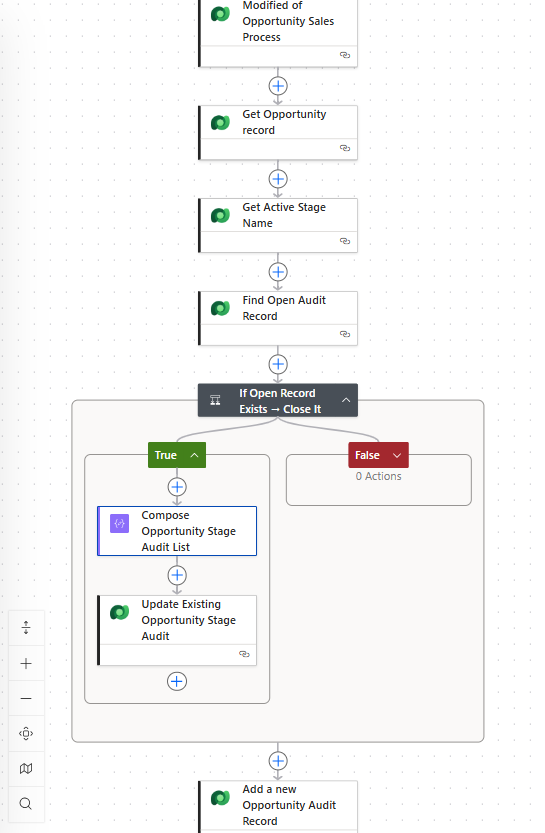
The next step would be to create a Power Automate Flow, which I called: Opportunity Stage Audit
- Create or Modified of your Business Process Flow table, in this example Opportunity Sales Process
- Get the related Opportunity record from the Opportunity Sales Process
- Get the related Active Stage Name from the Opportunity Sales Process
- List Opportunity Stage Audit records for the linked Opportunity with Exit Date eq Null
- Check if Length() of List Return value is greater than 0
- If so, Compose is used to retrieve the first record using first of the list record. (this avoids an For Each)
- If so, update Opportunity Stage Audit record with today’s date for the Exit Date (formatDateTime(utcNow(), ‘yyyy-MM-dd’))
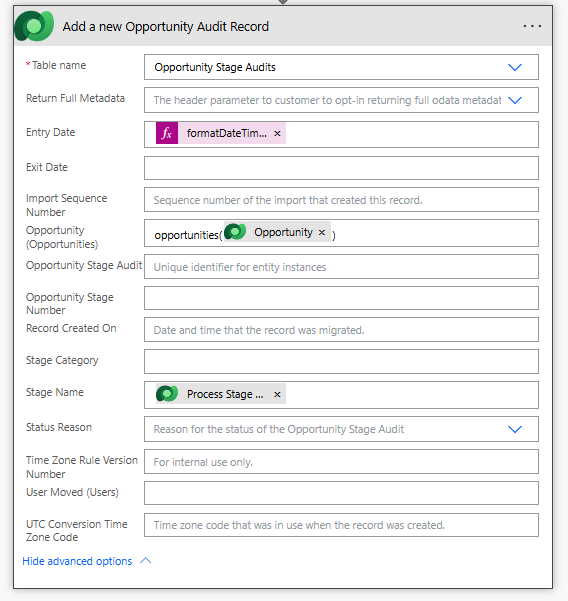
- Add a new Opportunity Audit Record with the details as they are listed below.
! Important to not set the Exit Date in this action.