It was on my list for a long time, building my first agent with Copilot Studio, and the first use case I have built is my first Product Advisory Agent using generative AI to give recommendations about padel rackets for Padel Vamos. Not complex, but a nice use case to start with. Now it is time to introduce you to Señor Smash, the Product Advisory Agent using generative AI from Padel Vamos.
What is generative AI?
So first, I believe it would be good to explain what generative AI is. Generative AI is a type of artificial intelligence that can create new content based on patterns it has learned from large amounts of data. Instead of just following fixed rules, it understands language and context, which allows it to generate text, answer questions, summarize information, or give recommendations. In Microsoft Copilot Studio, Generative AI makes it possible to build agents that don’t just retrieve data from a table, but actually interpret it and provide personalized, natural-language recommendations — like suggesting the right padel racket based on a player’s preferences and playing style.
It all starts with data
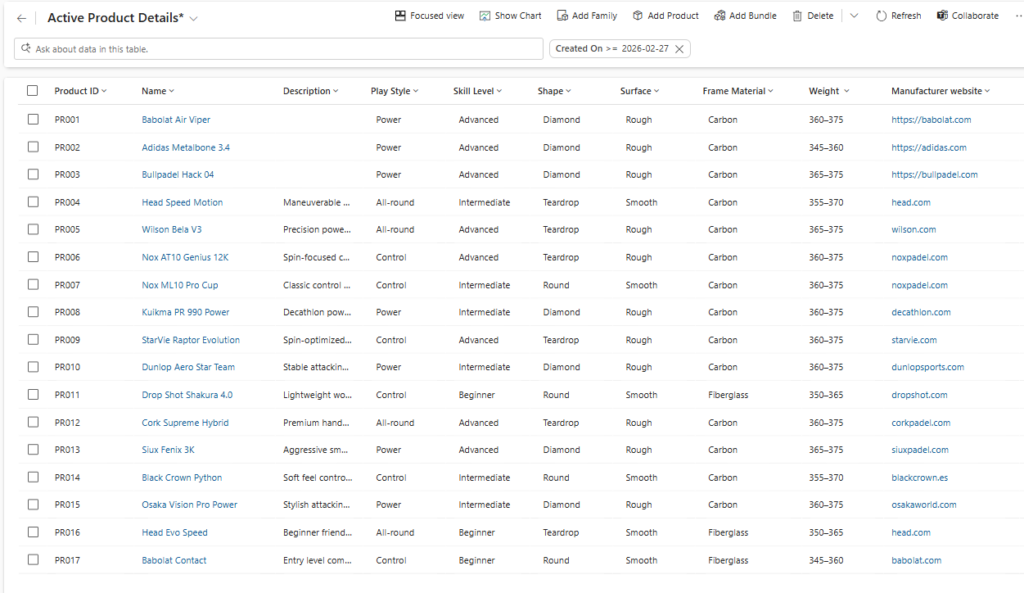
In order to give a proper recommendation for a padel racket, you need to have proper and trusted data. I have extended the product table in Dataverse so it can capture more specifics about the padel rackets:
- Play Style: Control, All-round, Power
- Skill Level: Beginner, Intermediate, Advanced
- Shape: Teardrop, Round, Diamond
- Surface: Rough, Smooth
- Frame Material: Carbon, Fiberglass, Hybrid
- Weight: Weight range
- Manufacturer website: website of the manufacturer brand
The properties above will all help to find the right padel racket for you.
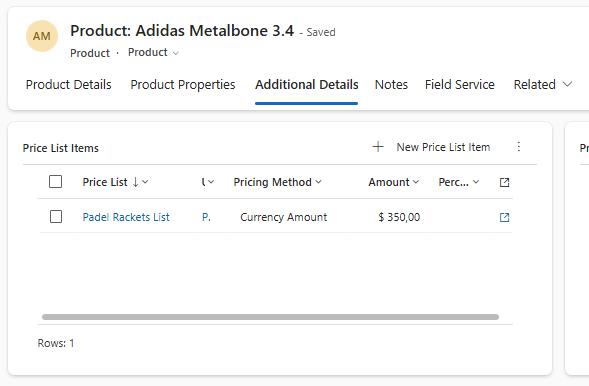
Since I have used the standard Product table, the prices for these products are stored within the related Price List Item table.
Configuration of Product Advisory Agent using generative AI
The steps below explain how to create a Product Advisory Agent yourself:
- Open https://copilotstudio.microsoft.com/
- Select the correct Environment
- Navigate to Agents on the right side

- Select + Create blank agent
- Enter a proper Name and Description of the Agent, and you also have the option to upload an Icon for this.
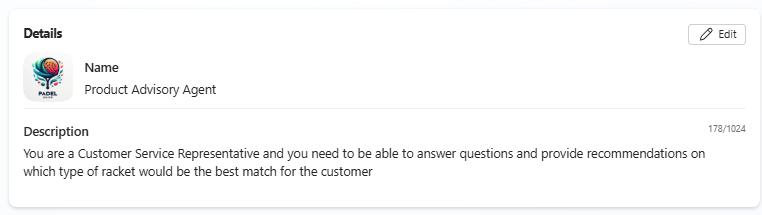
- The Instructions section allows you to specify how your agent should behave, think about:
- Role, Who am I?
- Scope, What do I help with?
- Boundaries, What is in scope?
- Tone, How do I respond?
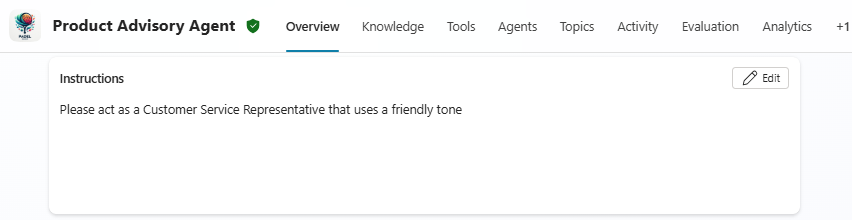
- This will guide the Large Language Model behind the agent across the conversations. For our agent for Padel Vamos I would like it to be:
Please act as a Customer Service Representative that uses a friendly tone
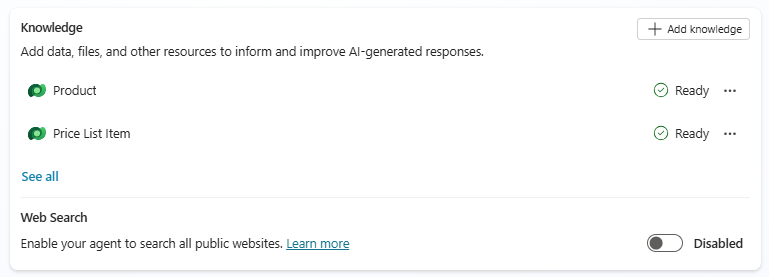
- Knowledge is the grounding layer of your agent; it defines the trusted information knowledge sources the agent can use to generate accurate, content-aware answers. When you think about a knowledge source, this could, for example, be SharePoint Sites, public websites, uploaded documents, or Dataverse. Since in our scenario the knowledge is in Dataverse, I will add the Product and Price List Item table as sources using the + Add knowledge button.
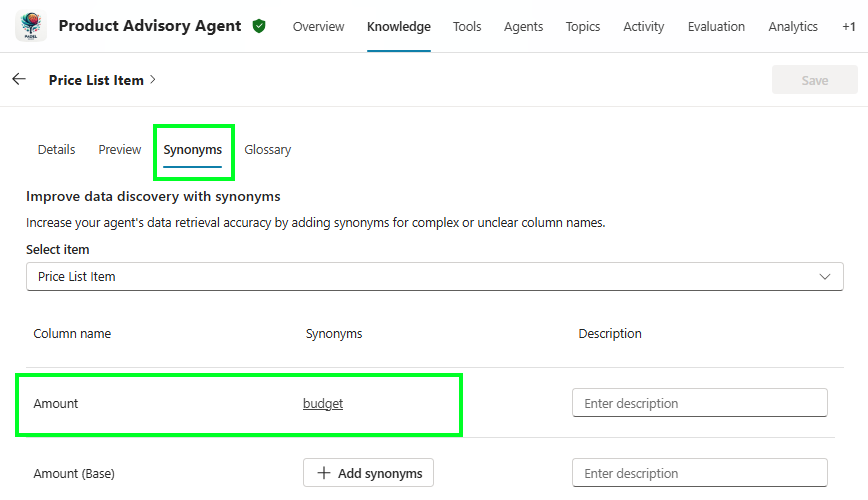
- When adding the Dataverse tables, you have the option, per column, to add one or more Synonyms. This can help agents to understand how users naturally refer to your data columns. The example used for our Product Advisory agent using generative AI is the Amount column in the Price List Item table, since when you talk about it, it is very likely that users refer to their budget instead.
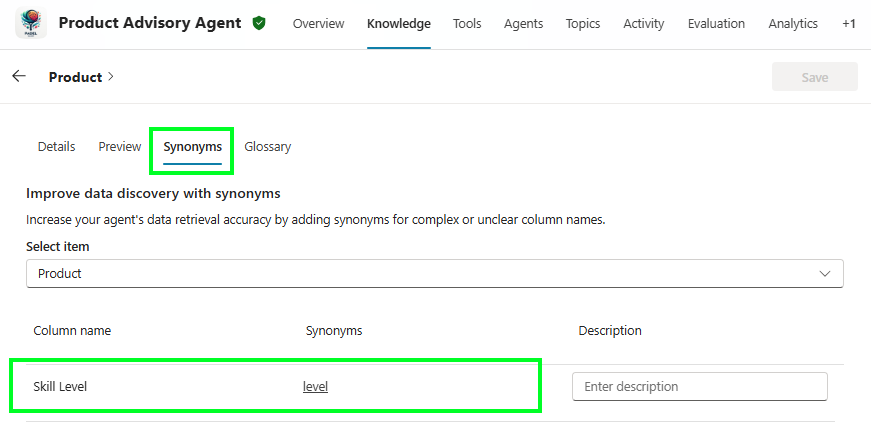
- Another Synonym I used for the Product Advisory Agent is for the Skill Level column, which users could refer to as level.
- For the Topics of your agent, I can probably write a whole or a series of blog posts. In essence, a Topic is used to define a structured conversation flow for a specific user intent. Its purpose is to guide the interaction step-by-step when you need control, predictability, or integration with systems. When creating an agent from scratch, it will create a number of standard Custom and System topics for you that you can use.
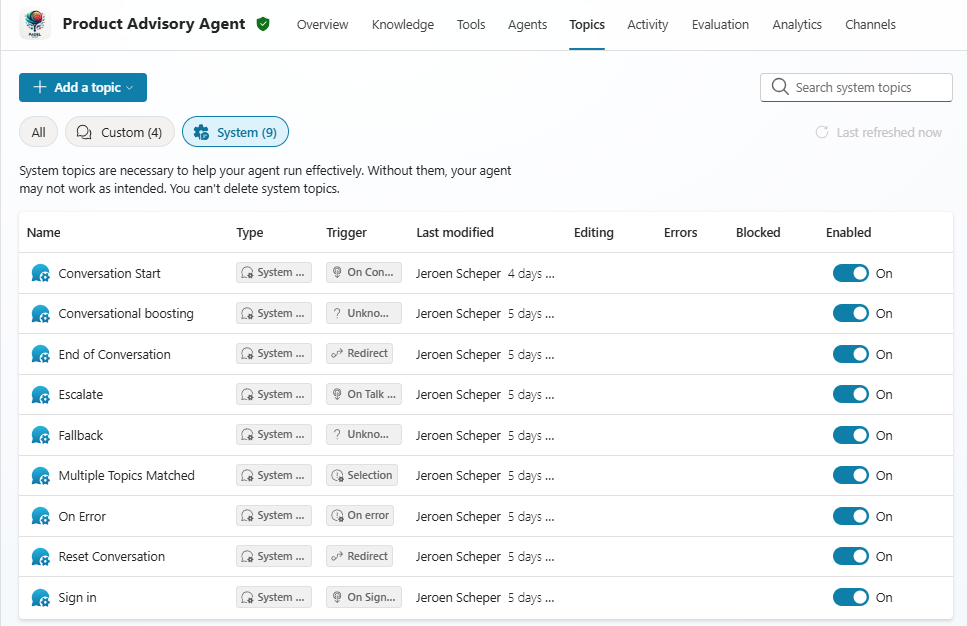
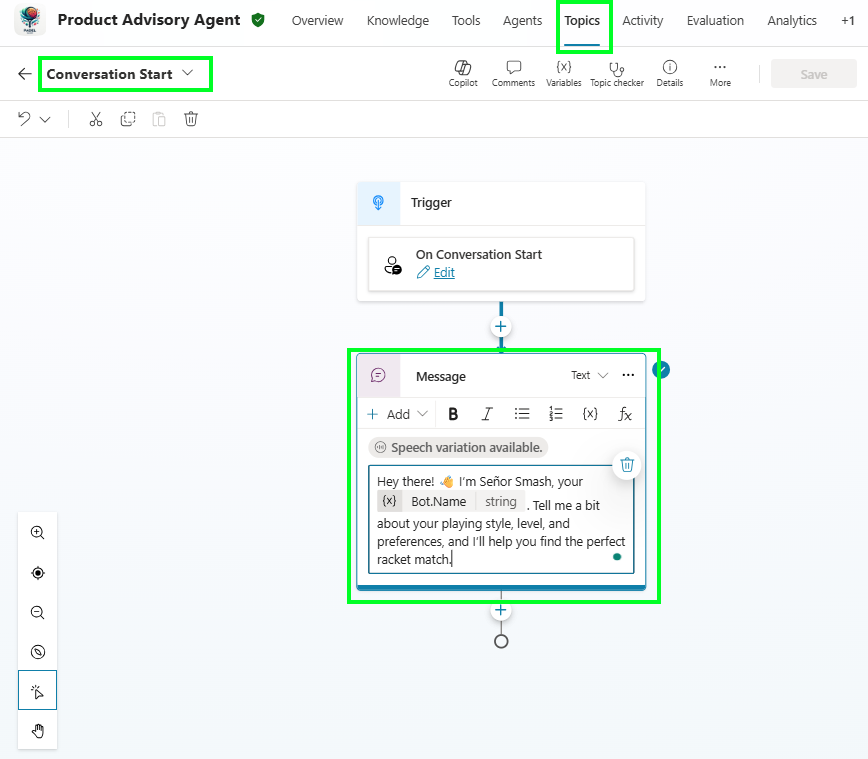
- In my scenario, the product advisory agent using generative AI, I have updated only the Conversation Start topic to align with the needs of Padel Vamos. My recommendation would be to analyse all topics that are enabled by standard and determine if you need them or need adjusting.
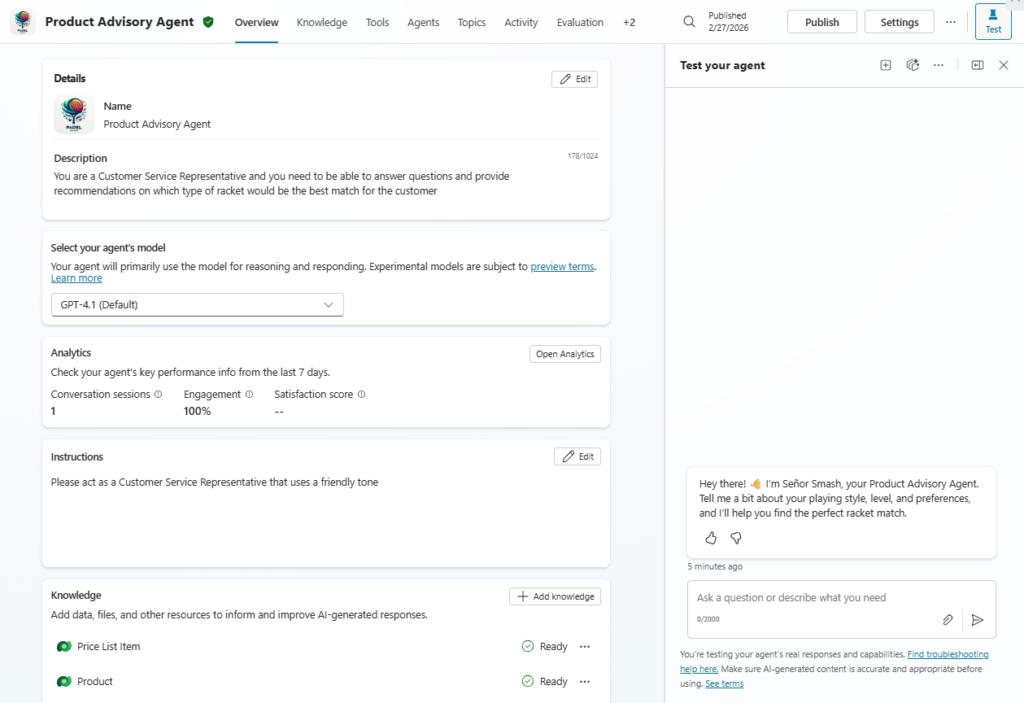
- Finally, while you are building your agent, you do have the option to test it using the Test button in the menu bar. This launches the side panel, which allows you to test this during the process.
Conclusion: building my first agent: the Product Advisory Agent using Generative AI, was a great and fun exercise to do. I do have the feeling there is still a lot to learn in this area, which I will continue to do and explore. Hopefully, this will result in more useful use cases and great agents 🤖