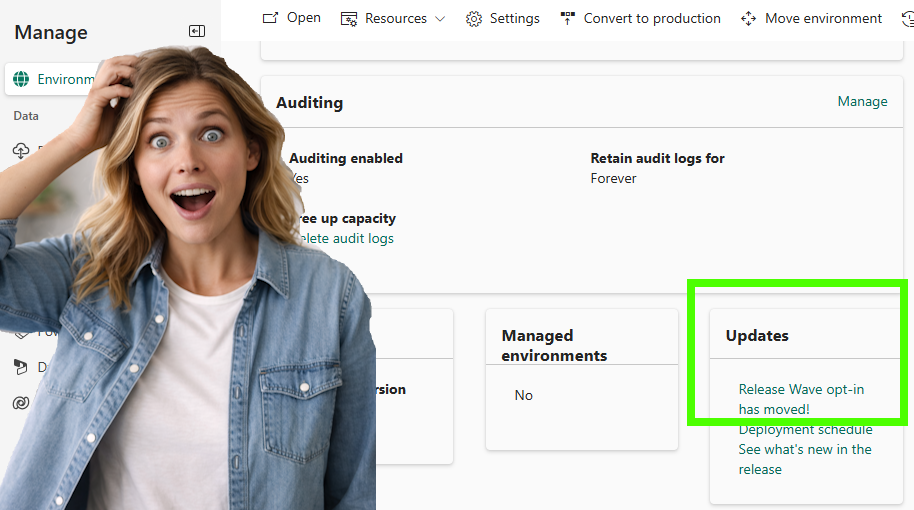
Wave Opt-In has moved?! It is the time of the year again when the first Wave update from Microsoft becomes available. If you are like me and curious to get early access to those features, you can enable this in a sandbox environment to play around. When navigating to the Environment > Update section, I noticed that Wave opt-in has moved. Last Wave update, 2025 Wave 2, I was still able to manually opt-in for this. When looking into documentation, this was already shared for a bit, but it was unknown to me. Therefore, I decided to look into this feature and get familiar with it where possible, but I can already share that not everything is crystal clear to me at this stage.
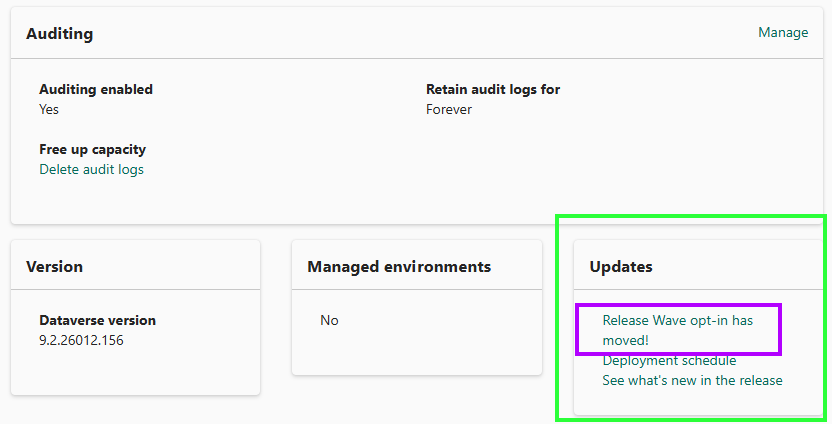
The wave opt-in has moved to the Release channel functionality. Before I go into the different options and details, I would like to share why Wave Opt-In has moved and what the options are.
The general benefit of using Release channels is giving the Administrators more control over when to receive what kind of updates.
The Release Channel can be set on different levels; these are the following:
- URL
- User
- App
- Environment
Now we know what the key driver is, I would like to zoom in on the different options that you can set:
- Monthly channel; If you like to receive new features and preview features on a monthly basis
- Bi-Annual channel; if you like to receive new features when they are generally available in April or October. This is still following the regional cadence.
Historically, I would always read through the relevant Wave documentation for the different business applications and the Power Platform. Changing this channel to Monthly means you would prepare yourself every month by checking the release plans (Release plan URL: here).
Below you will find two tables from Microsoft’s website that explain the differences between Monthly and Bi-Annual and what is recommended (Microsoft URL to documentation: here).
Recommended approach
| Category | Monthly channel | Semi-annual channel |
|---|---|---|
| Recommended use | Provide your users with new end user impacting features only once a month and on a predictable schedule. | For users in your organization where more training and extensive testing are needed before rollout out of new end user impacting features. |
| Release frequency | Once a month, on the first release for the month and following the gradual weekly rollout. | Twice a year, starting early April and early October and following the gradual weekly rollout. |
Content of the channel
| Capability | Monthly channel | Semi-annual channel |
|---|---|---|
| New feature delivery | Monthly | General availability in April or October |
| Preview feature update frequency | Weekly | No preview features |
| Best for | Dev/Test environments | Production environments |
Potential Pros and Cons
During the journey, when finding out wave opt-in has moved, I went through the different documentation about the release channels that were available. I definitely do see pros, but without having too much experience with this, I do see some initial cons as well if you ask me:
| Pros ✅ | Cons ❌ |
|---|---|
| Higher risk of inconsistency if environments or other levels run different versions | More complex to manage and configure |
| Tailored experience for different roles | Requires better planning and documentation |
| Switching release channels allows you to troubleshoot issues faster | Higher risk of inconsistency if environments or other levels do run different versions |
Time will tell if the wave opt-in has moved was a smart decision or not, or what my experience is when putting things into practice.
URL
You can add the URL parameter Channel to your browser session to override. Unfortunately, I was not able to find a case so quickly to demonstrate this. But as mentioned in the overview with pros and cons, if you have the release channel set to semi-annual, but the end-user is using monthly, and raises a support ticket because something is (not) working or is different, then this could be something to incorporate in your support process so you can check the URL.
| Channel | URL parameter |
|---|---|
| Semi-annual | &channel=semiannual |
| Monthly | &channel=monthly |
User
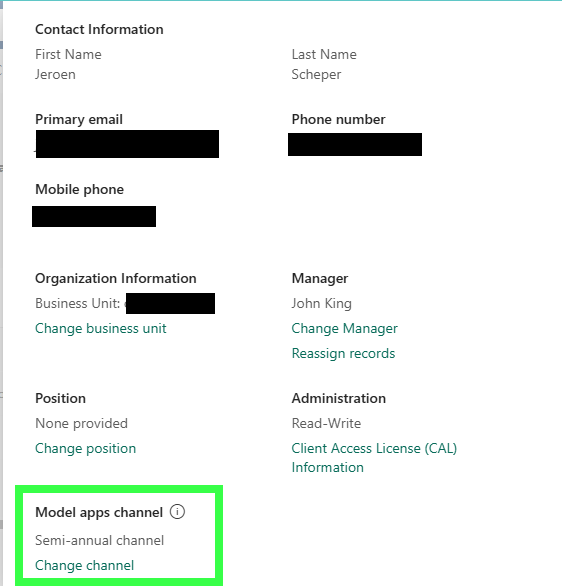
This is an interesting new level of where you can maintain the release channel. This does allow you to vary among the users to try certain things out. If you want to update this on the user level, open the user record and at the bottom Model Apps channel
App
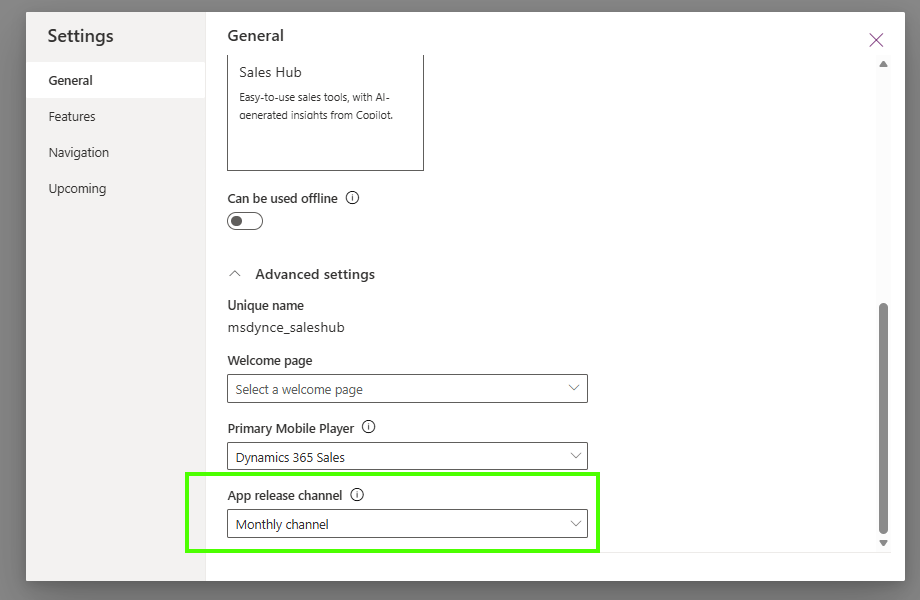
At the model-driven app level, you can change the release channel as follows:
- Open the model-driven app
- Select Edit
- From the top ribbon, select Settings
- Navigate to General
- At the bottom of the page, you can set the App release channel
The bit that I was unable to find is how this would work with custom-built model-driven apps, since it would be interesting to know how the channel would then know which (preview) features to opt-in to. If you do have experience or documentation around this scenario, I would love to hear your thoughts on this 😍
Environment
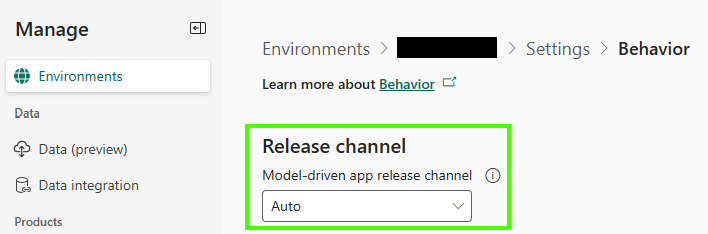
On the environment level, the level where you would have maintained this in the past, you can manage the Release channel by navigating to: Environment > Settings > Behavior. One of the things you can do now, which historically was not possible since after enabling, there was no way back, is that you can change the release channel back and forward.