If you have been working with Dynamics 365 Sales, either as an user or supporting it, chances are you have heard both terms before:
- Dynamics 365 App for Outlook
- The Sales Agent (also known as Copilot for Sales)
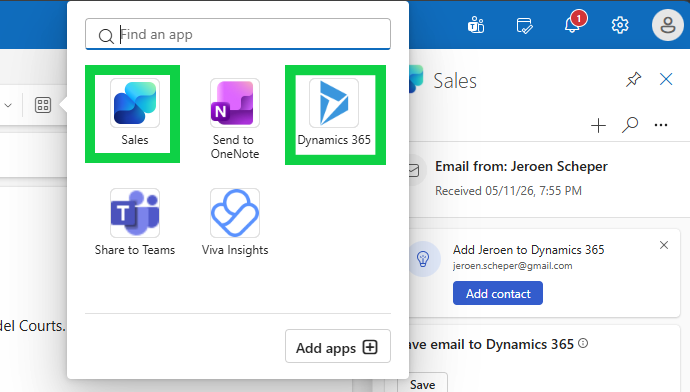
Both are apps you can use within your Outlook and both are connected to your Dynamics 365, and yet they are not a like for like. I get questions about this a lot, or people are mixing them up, so let me try to explain where there is overlap but also where they are different.
Dynamics 365 App for Outlook
The Dynamics 365 App for Outlook is the most “famous” traditional bridge between your inbox and Dynamics 365. It has been around for years and is well-known by most people.
The key things you can do with it:
- Track emails and appointments to Dynamics 365 records such as Accounts, Contacts, Opportunities, or Cases
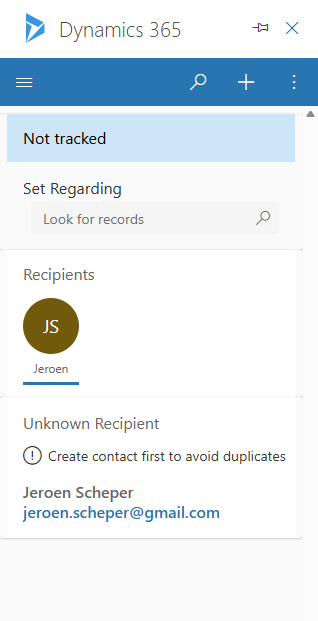
- View CRM context in the side pane when reading an email – see who the sender is in your CRM, related records, etc.
- Create new records directly from Outlook, such as a new Contact or Lead based on an email
- Add email templates or knowledge articles when composing emails
- Synchronise contacts between Exchange and Dynamics 365
- Offline option available but with limited features
What is important to know: the App for Outlook works across multiple Dynamics 365 apps:
- Sales
- Customer Service
- Field Service
- even custom model-driven Power Apps.
This is an important difference if you ask me. One things you should be aware of: starting October 1, 2025, the ability to create and track new Contacts directly from the App for Outlook was deprecated. Email tracking itself still works fine, but for Contact creation you now need to go into Dynamics 365 directly.
The Sales Agent / Copilot for Sales)
The Sales agent (previously called Copilot for Sales, and if I remember correctly a few more names 😅) is a newer, AI-first experience designed specifically for sales users.
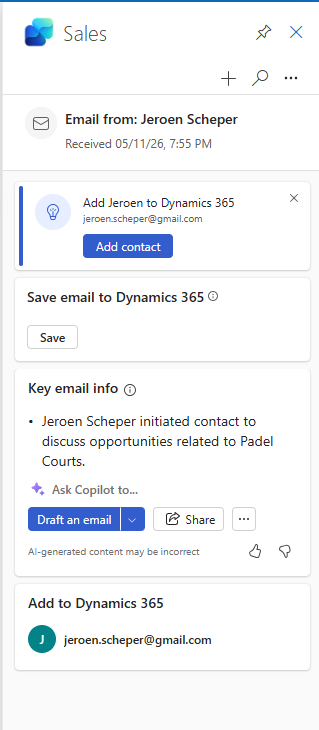
Where the Dynamics 365 App for Outlook relies very much on manual actions, you decide when to track an email, you decide when to create a record, the Sales agent is built around AI doing the heavy lifting for you.
Key capabilities include for example:
- AI-powered email summaries – summarise long email threads in seconds
- Suggested email replies – AI drafts a contextual response for you based on your CRM data
- Meeting preparation – get a briefing on the account and opportunity before you jump on a call
- Meeting recaps in Teams – highlights action items, sales keywords, and next steps after a call
- Automatic activity capture – reduce manual logging by letting the AI capture and suggest what to log
- CRM insights in context – see opportunity and account details without switching to Dynamics 365
Side-by-side comparison
Below you will find an overview with the key differences between the two apps.
| Dynamics 365 App for Outlook | Sales Agent (Copilot for Sales) | |
|---|---|---|
| Target user | All Dynamics 365 users | Sales-focused users |
| AI capabilities | No – Minimal | Extensive (summaries, drafts, insights) |
| License required | Any D365 license (incl. Professional) | Sales Enterprise/Premium + M365 Copilot |
| Teams integration | No | Yes (meeting recaps) |
So which one should you use?
Here is my honest answer: it depends on your license and your use case (it depends, typical consulting answer 🤣)
Microsoft’s direction is clear: the Sales agent is the future. That does not mean the Dynamics 365 App for Outlook is going away anytime soon I believe, at least I was not able to find any deprecation plans, but you can imagine that feature investments are morelikely going into the Sales agent.
What are your experiences with either apps? Drop a comment below! 👇



What about appointment tracking. Also, we have more than 95% of users tracking appointments using the app for Outlook and no premium D365 license. Just licensed for power apps. Feels like Sales Agent isn’t even an option for us.