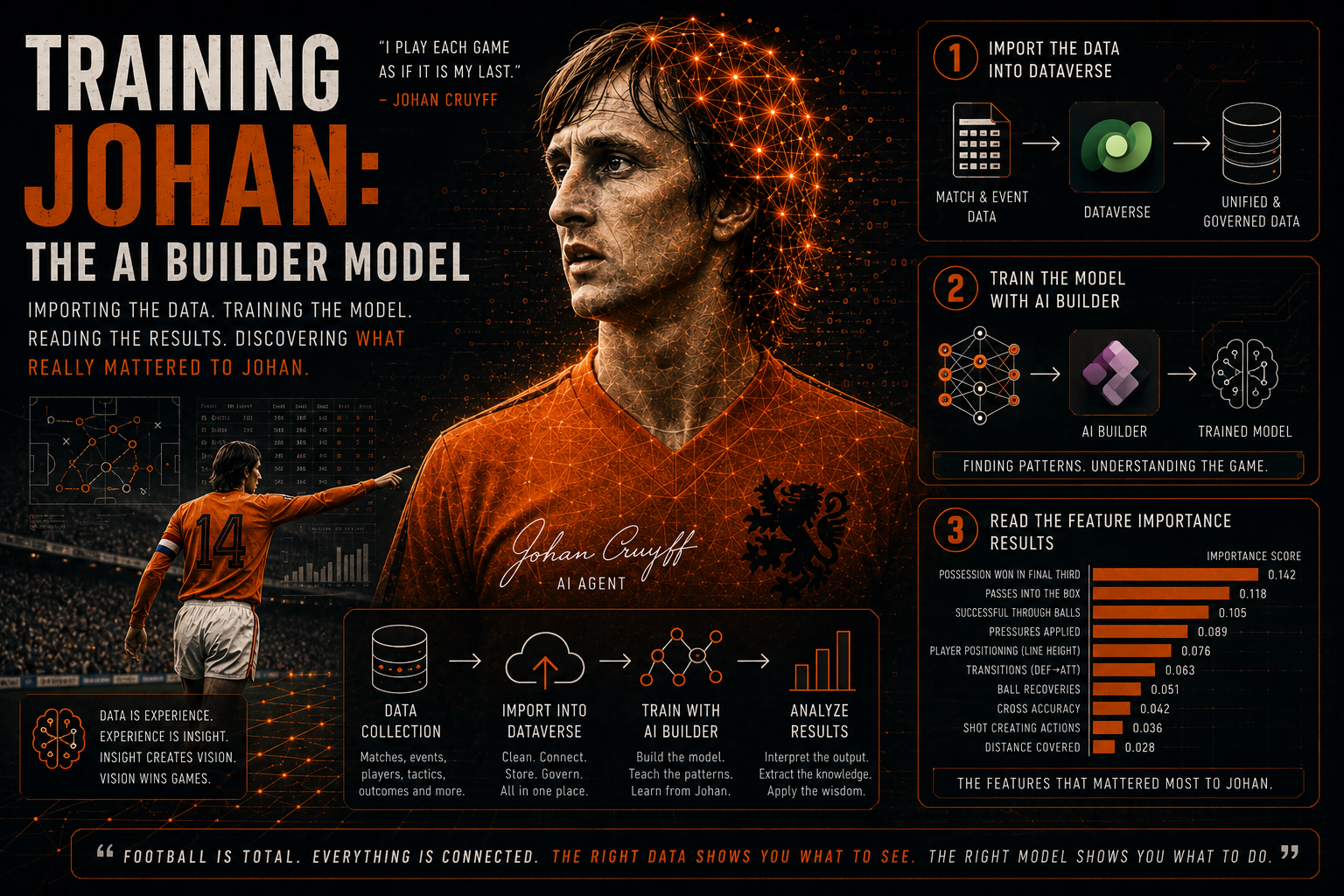
The data layer is done and it is time to start training the AI Builder model. Two tables, 182 nations, 7,666 rows, zero duplication. In the previous post (URL to post here) I walked through how that foundation was built, the Kaggle datasets, the Teams table, the Historical Matches and columns used for enrichment. If you haven’t read that one yet, I’d recommend starting there.
With the data ready, it is time to feed all of it to AI Builder and actually train AI Agent Johan 🤖.
In this post I will highlight the differences with the model of 2024 (link to post here). In that post I already explained step by step on how to create a prediction model in AI Builder.
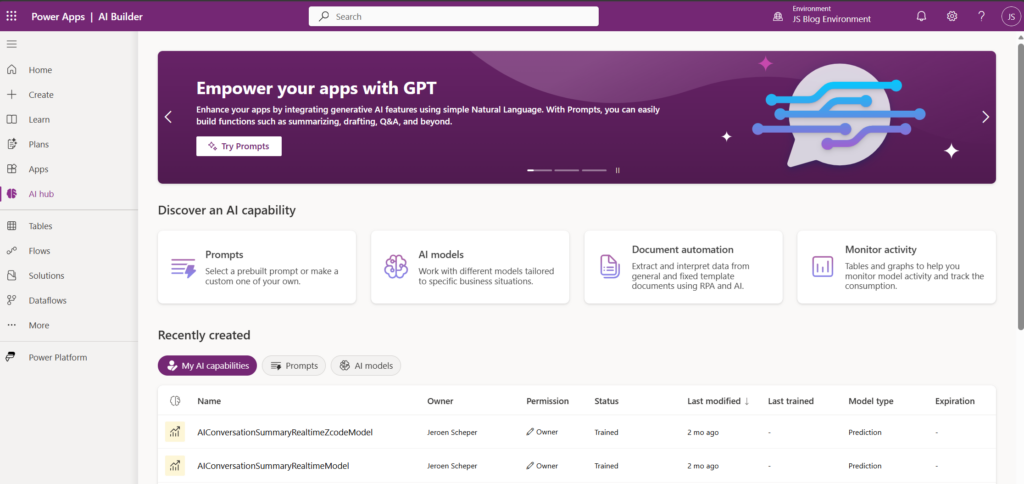
Configuring the prediction model in AI Builder
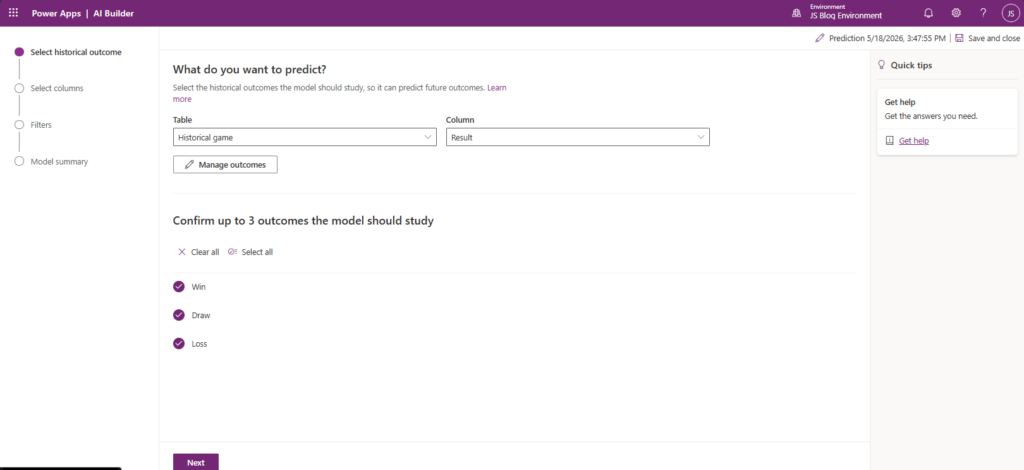
AI Builder does comes with a whole lot of AI models that you can use. For this project I am focussing on the Prediction model. Once you are in the wizard to create your model, you need to identify, probably the most relevant column, and that would the outcome of the model, so what do we want Johan to predict? This is not any different than our 2024 model so the result is what we would like to predict:
- Win
- Draw
- Loss.
The step that is making most impact and is very different then my 2024 model are the columns that are being used to train the model The full list of columns used for Johan are:
- Home / Away / Neutral
- Tournament stage
- FIFA ranking difference
- Goals scored last 5 games
- Goals conceded last 5 games
- Win streak
- Opponent goals scored last 5
- Opponent goals conceded last 5
- Opponent win streak
- Tournament Stage
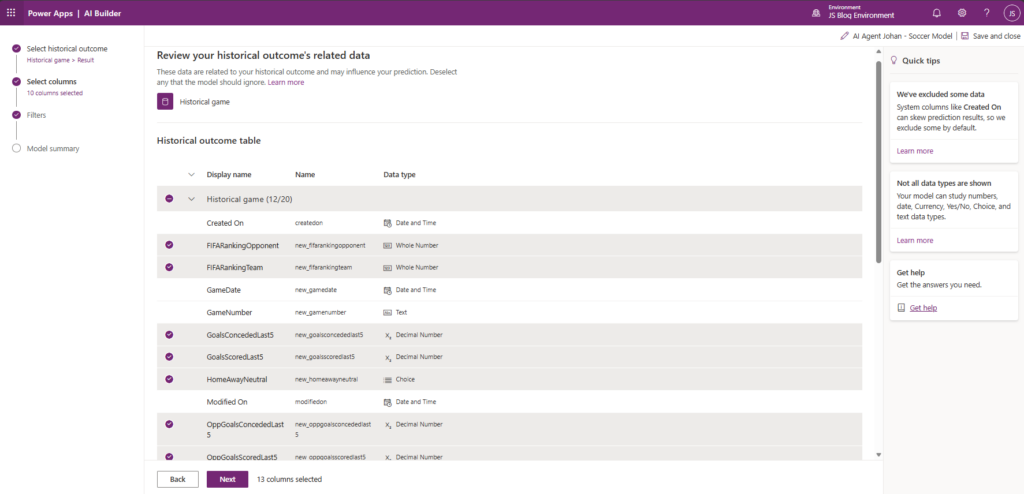
If you followed my 2024 predicting series than you are probably missing the Opponent column. Opponent name is intentionally not included as a direct input column. The reason is that individual opponent names become noise at this dataset, there are 182 teams and many of them appear only a handful of times. The ranking difference and form statistics already capture what matters about an opponent in a much more meaningful.
Training a prediction model of this size in AI Builder is not instant but it is also not painfully slow. The model trains on the 7,666 rows and produces a set of performance metrics and, most usefully, a feature importance chart.
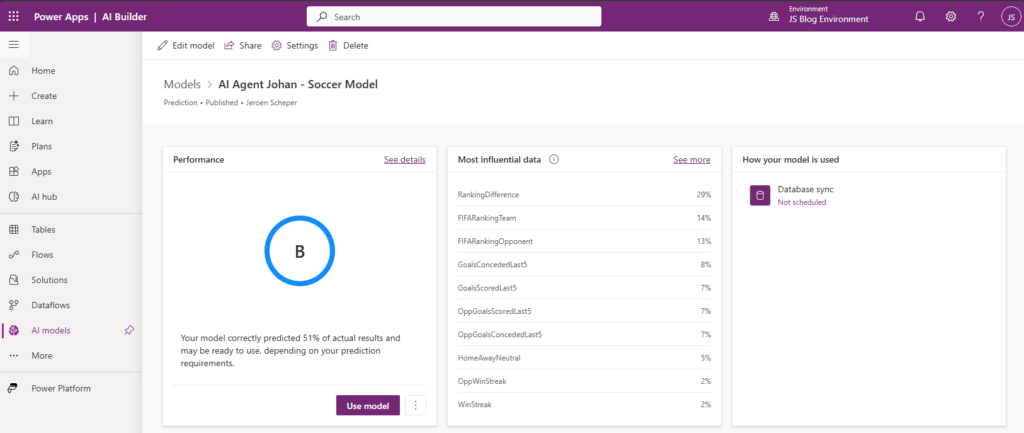
The performance metrics are worth understanding but also I believe especially when your Performance Grade is C or D or when you see funny stats in the Most influential data section. Football is unpredictable, that is the whole point of watching it. A model that claimed 90% accuracy on football match predictions would almost certainly be overfitting. What you are looking for is a model that performs better than random chance and that has learned something meaningful about how the input columns relate to outcomes.
Microsoft is giving the following guidelines on how to interpret the Grades (link to Microsoft Learn here):
| Grade | Guidance |
|---|---|
| A | It might still be possible to improve the model, but this is the best grade you can get. |
| B | The model is correct in a lot of the cases. Can it be improved? That depends on your unique circumstances, data, and requirements. |
| C | The model is doing slightly better than a random guess. It might be acceptable for some applications, but in most cases, this is a model that you’d continue to tweak and improve. |
| D | Something’s wrong. Your model is either performing worse than we’d expect a random guess to perform (underfit model). Or, it’s performing so well (at or near 100%) that you’ve probably got a data column that is directly correlated to the result (overfit model) |
Feature importance: what did Johan actually learn?
This is the part I was most curious about. After training, AI Builder produces a feature importance chart that shows which columns had the most influence on the model’s predictions. It is not a perfect explanation of what is happening inside the model, but it is a genuinely useful signal. On the other hand, I sometimes wished that you had a bit more power / control over the data influance percentage.
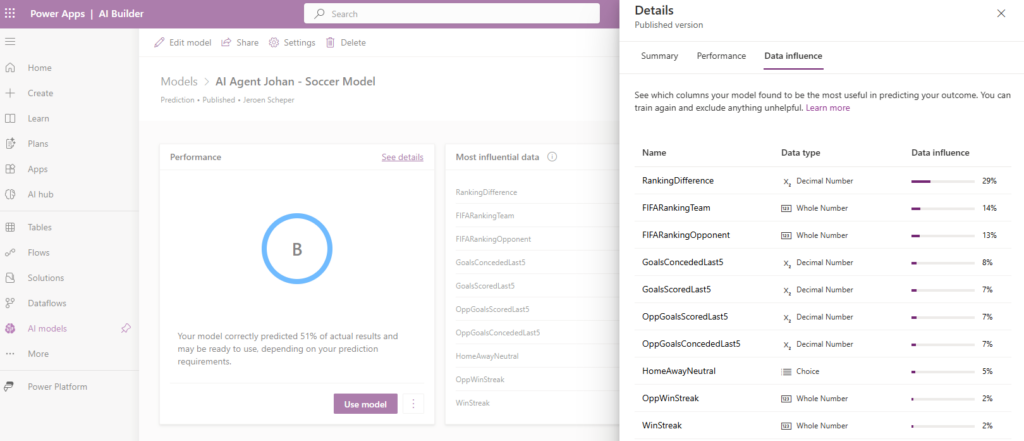
FIFA ranking difference came out as one of the stronger features, which is reassuring. The gap in quality between two teams really does tell you something about likely outcomes, particularly in the earlier stages of a tournament. Johan learned this.
With training complete and feature importance understood, Johan now has a working brain. He has seen 7,666 matches from 182 nations across major tournaments and he has learned which factors tend to separate wins from draws from losses.
The confidence scores that come with each prediction are worth watching. AI Builder returns a probability for each outcome class, not just a single label. A prediction of “Win” with 71% confidence is very different from a “Win” with 51% confidence. In the pre-match posts we will look at those confidence splits alongside the headline prediction.
What’s next?
Johan has a brain and it has been trained. The next step is bringing him to life.
In Post 4 I’ll walk through setting up the Copilot Studio agent, the topic, the Power Automate flow that runs as an action, and how the full prediction chain works end to end. After that, the group stage games start, and we find out whether all of this actually works and what Johan will predict for the games of The Netherlands 🏆⚽.