Skip to content
JScheper.com
JScheper.com

BizApps, Powerplatform and AI

  • Home
  • Blog
  • Contact
JScheper.com

BizApps, Powerplatform and AI

multi-table visual hierarchy

Cockpit view with the multi-table visual hierarchy

Posted on January 19, 2026January 19, 2026 By Jeroen Scheper

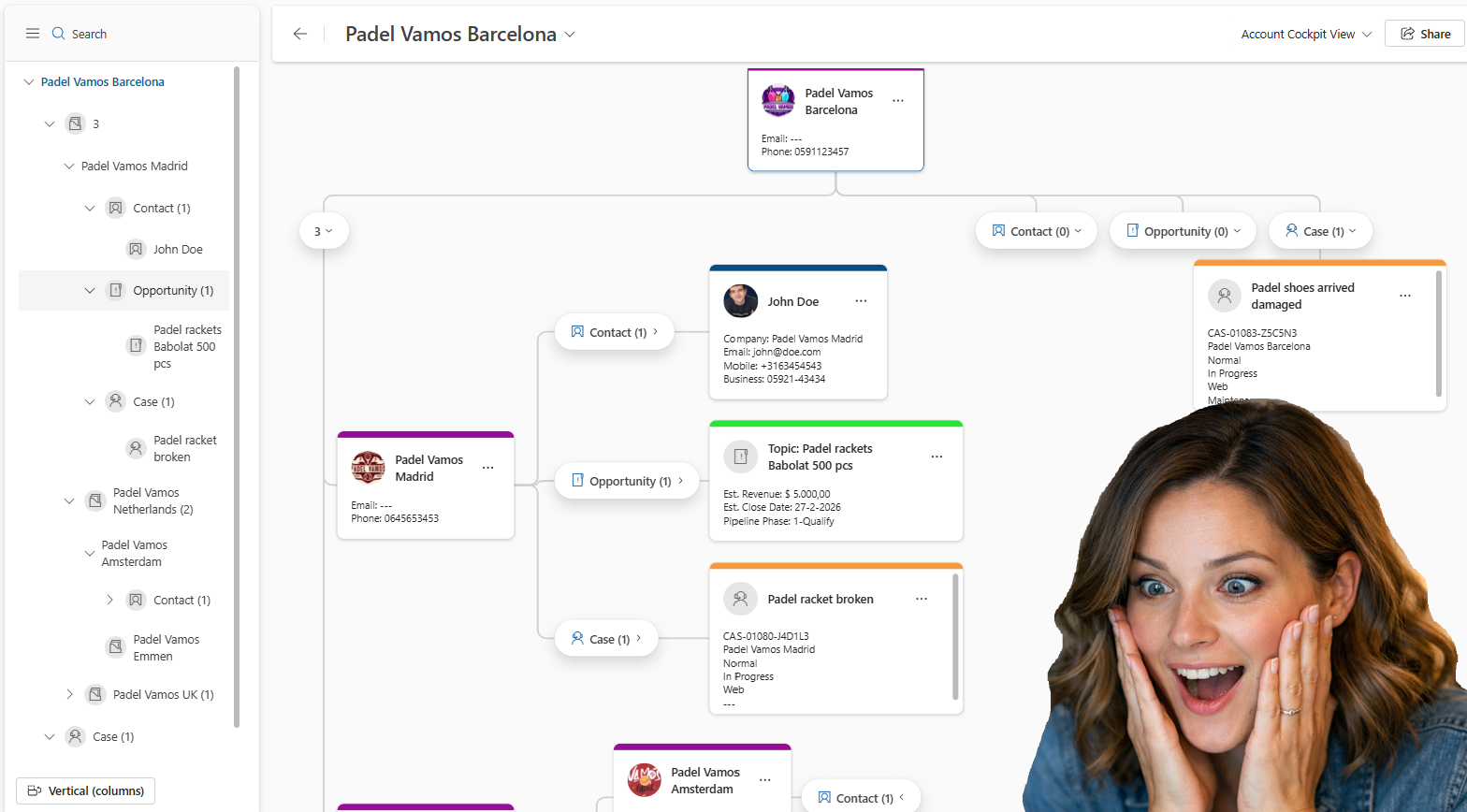
A while back, I posted about the new visual hierarchy that became available (link here). This feature is now extended, which allows you to create your own multi-table visual hierarchy 😍. Personally speaking, I love this feature since it is a great and organized visual representation of the data.

multi-table visual hierarchy

In this post, I will explain the new part of this multi-table visual hierarchy experience, and for the basis of this feature, I do like to refer you to my earlier post.

Configure multi-entity visual hierarchy

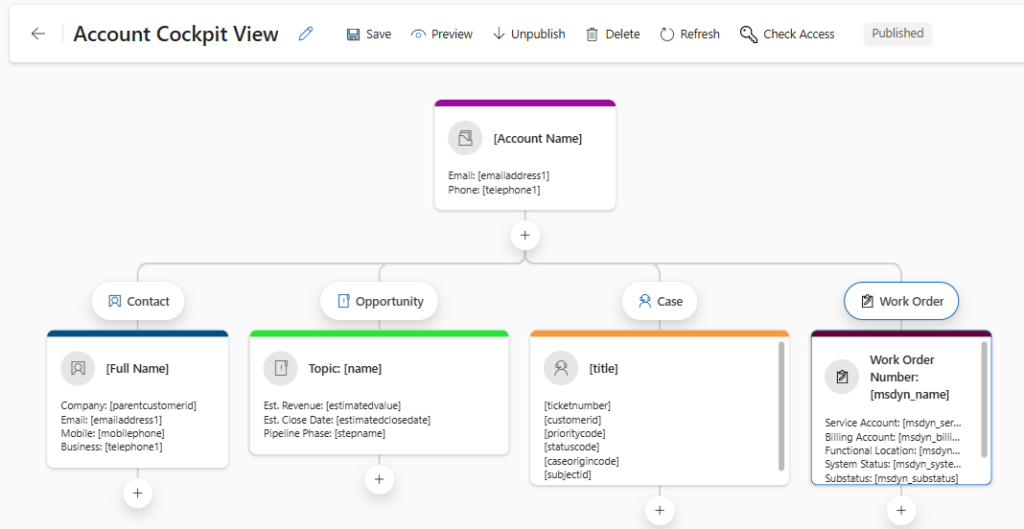
In the example above, I would like to add the Work Order to the cockpit view, but you could also create a hierarchy from scratch, as explained in my earlier post. In order to configure the enhanced multi-table visual hierarchy experience, you can follow the next steps:

  • Open the Sales Hub app
  • Change the area in the bottom left settings and navigate to App Settings
  • Within the General Settings section, select Visual Hierarchy
  • Open the Visual Hierarchy, which, in my example, is Account Cockpit View.
  • Click on the + icon above the table you would like to add this, this could also be a subtable, as you can see above
  • Select the Table, Work Order
  • Select Add.
  • Configure the table options as explained in my previous post.
  • Save the Visual Hierarchy

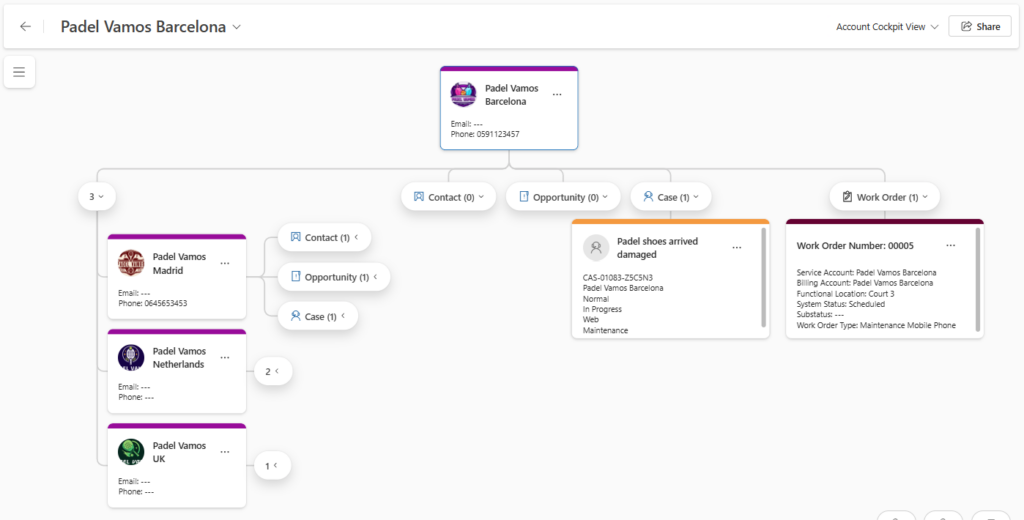
Now it is ready to test. So when opening an Account and launching the Visual Hierarchy from the ribbon.
Sales Customer Insights Customer Service Field Services Model-driven Apps cockpit viewmulti-entityvisual hierarchy

Post navigation

Previous post
Next post

Related Posts

SharePoint Single SharePoint document storage

Single SharePoint document storage place across sales process

Posted on July 23, 2025July 21, 2025

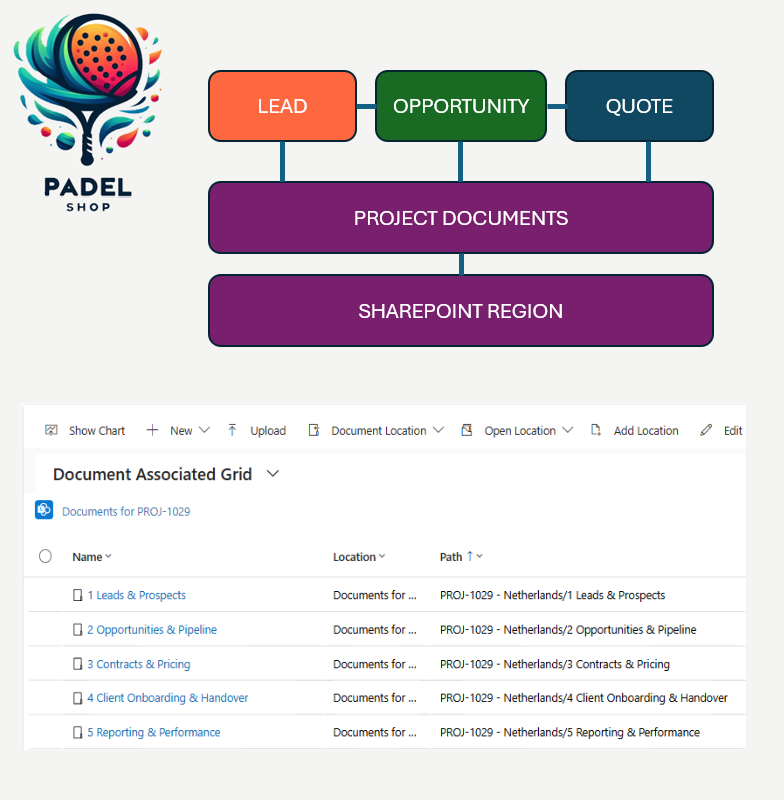
Let’s start with the fact that I am not a SharePoint “Guru,” so I still need to learn a lot in that area. I wanted to have a single SharePoint document storage place for the sales process of Padel Vamos. The difficulties I found when working with SharePoint are the…

Read More
Copilot Copilot to visualize data in views

Using Copilot to visualize data in views

Posted on March 5, 2025February 25, 2025

Another promising preview feature that has been released recently, now you can use Copilot to visualize data in views 😍. Based on the data and columns in your views, Copilot can now generate charts for you. These charts are, same as in the traditional charts, interactive which therefore allows you…

Read More
Copilot Copilot to a model-driven app

How to add Copilot to a model-driven app

Posted on July 31, 2024July 30, 2024

Have you ever wanted to add Copilot to a model-driven app? There is a simple way of doing this. When opening the Sales Hub App you immediately notice that on top of the menu, the Copilot menu item is there. In order to add Copilot to a model-driven app, I…

Read More

Leave a Reply Cancel reply

Your email address will not be published. Required fields are marked *

ABOUT ME

  • LinkedIn
  • Mail
  • GitHub
  • YouTube
"BizApps and PowerPlatform dude with a passion for AI, sitting relaxt in his black shirt on a bounty white beach with palm trees, a azure blue ocean in the background and enjoying a good coffee "

~GenAI - DALL.E 3 and GPT 3.5

Subscribe

Please wait...

Thank you for subscribing!

Search

Categories

  • Agents
  • AI Builder
  • AI Prompting
  • Artificial Intelligence
  • Copilot
  • Copilot Studio
  • Customer Insights
  • Customer Service
  • Dataverse
  • Field Services
  • Generative AI
  • Model-driven Apps
  • Personal Development
  • Power Apps
  • Power Automate
  • Power BI
  • Power Platform
  • Reporting
  • Sales
  • SharePoint

Archive

  • March 2026
  • February 2026
  • January 2026
  • December 2025
  • November 2025
  • October 2025
  • August 2025
  • July 2025
  • June 2025
  • May 2025
  • April 2025
  • March 2025
  • February 2025
  • January 2025
  • December 2024
  • November 2024
  • October 2024
  • September 2024
  • August 2024
  • July 2024
  • June 2024
  • May 2024
© 2024 - All rights reserved | Jeroen Scheper | Privacy Policy