The functionality has existed for a long time already. Goal Management allows you to track your sales goals. When my Dynamics CRM journey started, back in 2015, this feature already existed. I believe it never changed that much over time, and perhaps a bit underestimated if you ask me.
When you look at goal management, there are three core aspects to it in order to set it up.
- Goal Metrics
- Goal Rollup Queries
- Goals
There is a fourth one, perhaps, depending on how you look at this, called Goals Settings. This allows you to determine how often goals are being calculated.
Goal Metrics
“Measure goals in terms of count or amount, depending on what you’re measuring. “
The first step in order to track your sales goals would be to set up goal metrics. This defines how the goal will be measured. You need to follow the next steps:
- Open the Sales Hub App
- Change the area to App Settings
- In the Performance Management section, find Goal Metrics
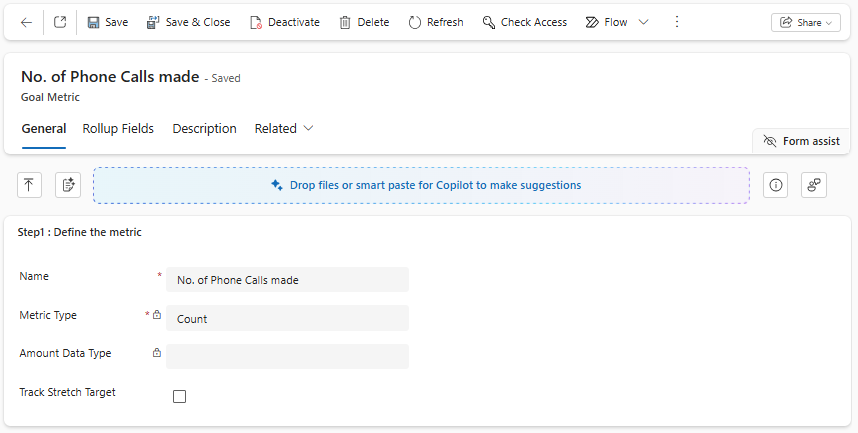
When selecting + New from the ribbon, there are a couple of things you can set up:
- Name of the metrics, this needs to be a unique name
- Metrics type: this could be either:
- Count: count the number of records, in our case, the number of completed Phone calls (Integer)
- Amount: when Amount is selected, the Amount Data Type needs to be specified:
- Money, for example, revenue
- Integer, for example, Units sold
- Decimal, for example, Total Quantities sold
Goal Rollup Query
“Define how you want to calculate the actual and in-progress values for the metric“
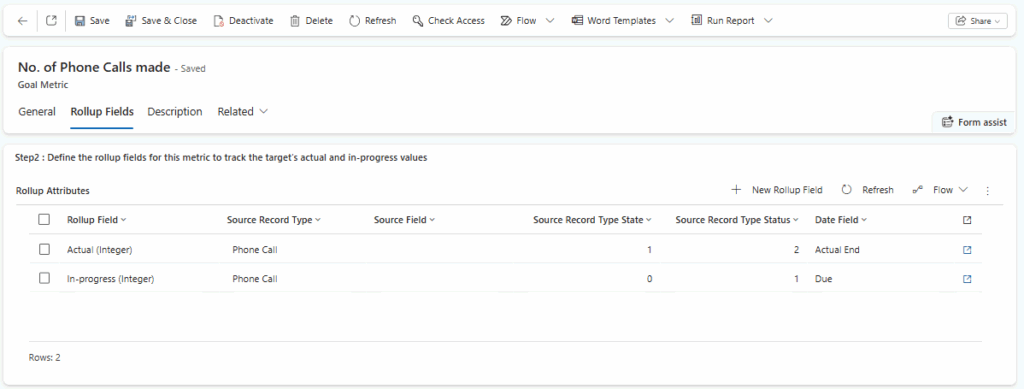
The next step in order to track your sales goals is to define your goal rollup queries. When navigating to the Rollup Fields tab on the Goal Metrics, you can add a new rollup field by selecting + New Rollup Field. The rollup fields will help to calculate your in-progress and actual values for those specific goal metrics.
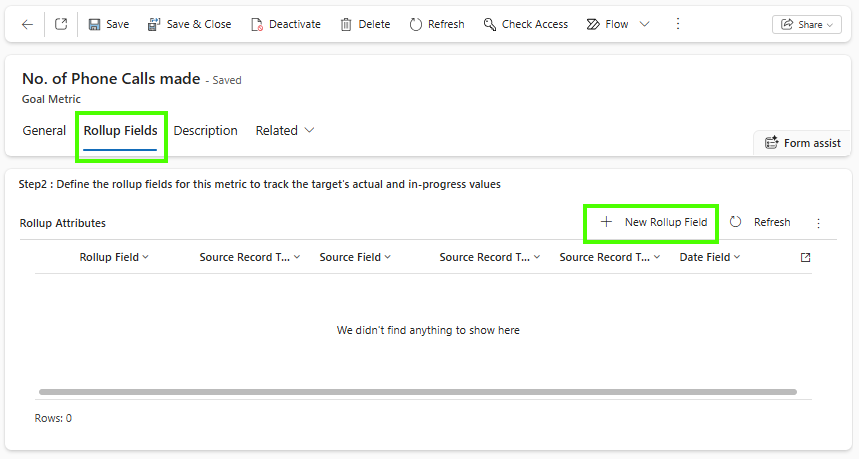
In our case, we want to measure the number of Phone calls scheduled (Open) and completed (Closed) per month. Microsoft their documentation is saying the following about the different types of Rollup fields (link to full documentation):
- Actual: Can be modified as Actual (Money), Actual (Integer), or Actual (Decimal), depending on the data type of the goal metric. This shows the actual amount or count of finished measurable results, such as closed invoices or sales called completed.
- In-Progress: Can be modified as In-progress (Money), In-progress (Integer), or In-progress (Decimal), depending on the data type of the goal metric. This includes measurable results that could contribute to a goal, but are not counted yet as actual. For example, an in-progress rollup field that shows qualified leads that have not been contacted could help you track progress toward contacting leads.
- Custom Rollup Field: Can be modified as Custom Rollup Field (Money), Custom Rollup Field (Integer), or Custom Rollup Field (Decimal), depending on the data type of the goal metric. Use this to track a third category for results.
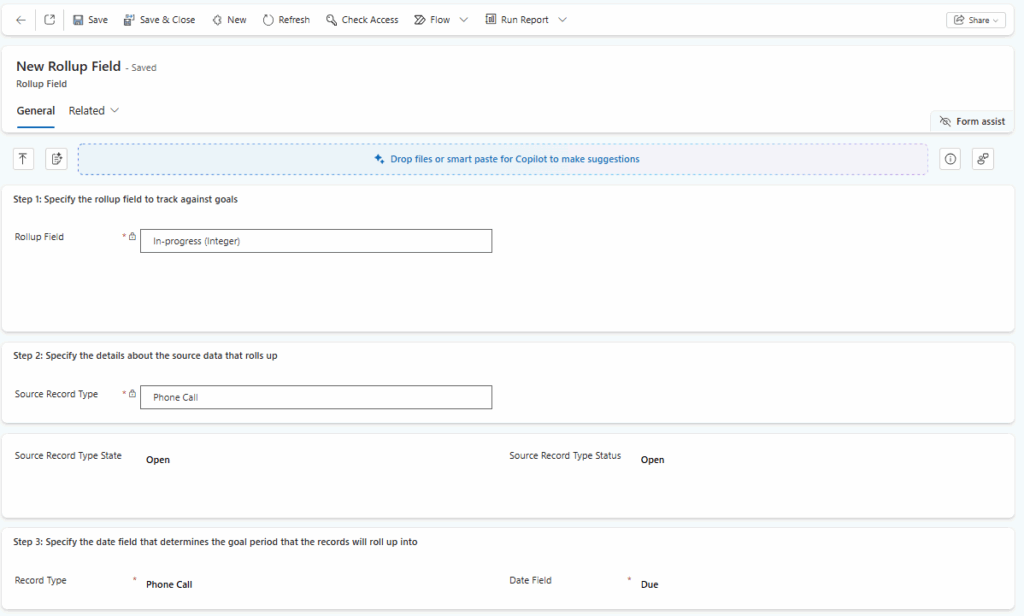
Therefore, my first step is to define a rollup field of type In Progress. To do this, I am using the following values:
- Rollup field = In-Progress(integer)
- Source Record Type = Phone Call (table source data)
- Source Record Type State = Open, since we want phone calls that are still open for that month
- Source Record Type Status = Open, the (sub)status of the state field
- Record Type = Phone Call, which contains the date column.
- Date Field = Due date, this is the date that will be used to determine if something is part of the defined goal period.
Once saved, we do an almost similar rollup field for the Actual type. This, with the only difference that:
- Rollup Field = Actual
- Source Record Type State = Completed, since we would like to measure how many are completed
- Source Record Type Status = Made, Phone Calls made
- Date Field = Actual End Date, the date that the Phone call activity is marked completed.
Once saved, we are close to being able to track your sales goals. We now have a metric for the number of phone calls and the rollups to determine how the actual (completed) and in-progress (still possible) are defined.
Goals
“Goals help you measure progress toward key targets, such as revenue or other organizational objectives“
The last step in order to track your sales goals is to set up (parent) goals for the different owners. You can create goals by following the next steps:
- Open the Sales Hub App
- Change the area to App Settings
- In the Performance Management section, find Goals
- Select + New
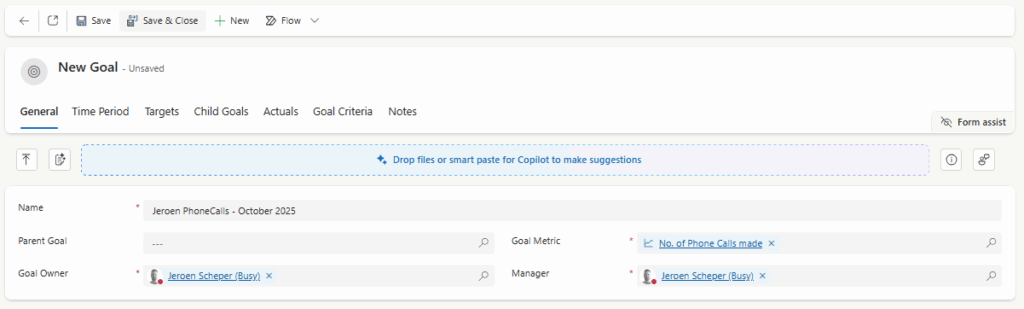
- For the Name I recommend using something that would make sense, I always use a combination of Owner, Metric and Period so it will be easy to check when you see all the goals in a long list.
- Goal Owner will be the person where you set the goal up for.
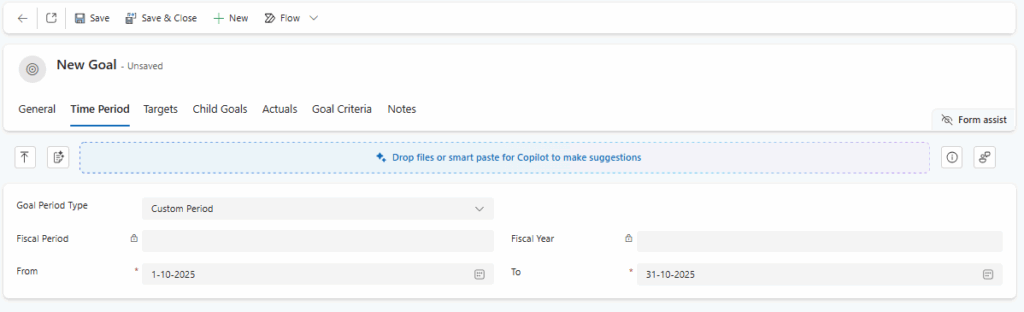
- On the Time Period tab you can you decide which period you would like to use for your goals, either:
- Fiscal Period (quaterly)
- Custom, in our case we choose Custom and are setting it up per month
- On the Target tab you can set the targer for the goal owner and that specific period.

In my use case I have setup this up for the remaining months of this year, you will get something that looks like the below.

Goal Actuals
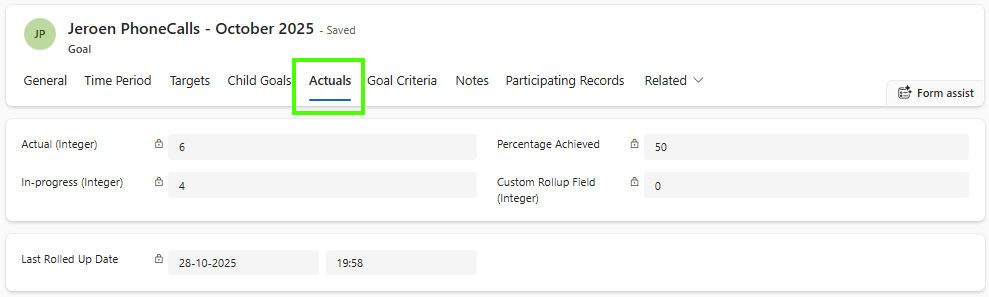
On the Actuals tab you can see what the current performance is for the different rollup types. It automatically calculcates the Percentage achieved and shows the last time it has been calculated.
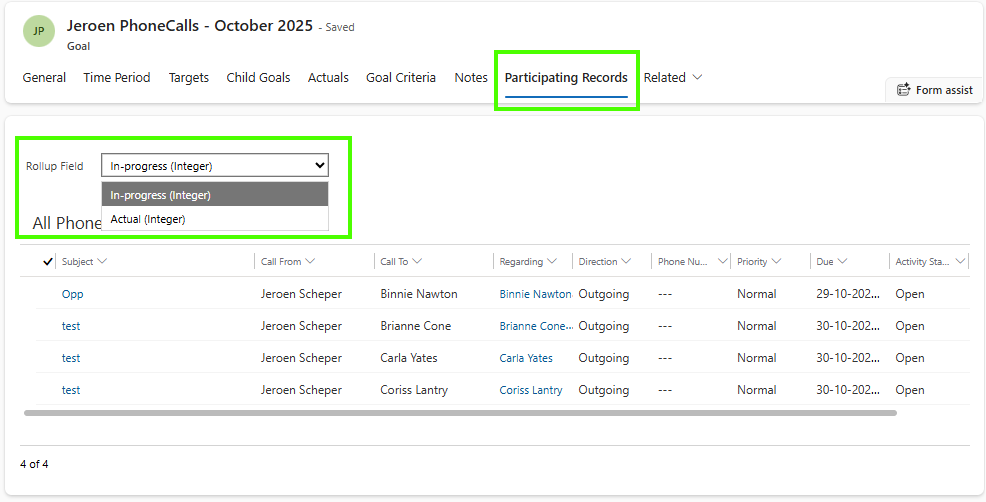
Participating records
The Participating Records tab allows you to see which records are being used for the Actual and In-Progress rollup types. This can help to understand where the calculations are coming from.
Summary
overall I believe Goal Management is a great way to track your sales goals. Over the years it did not change that much according to me, perhaps since I did not use it in the beginning of my carreer. There are a couple of things that I think would make the experience a lot better and I would like to start with the first thing I challange myself to improve: creating Goals in Bulk 🤖😎.