
Skip to content
JScheper.com
JScheper.com

BizApps, Powerplatform and AI

  • Home
  • Blog
  • Contact
JScheper.com

BizApps, Powerplatform and AI

Copilot for multi-table structure

Using Copilot for multi-table structure for Padel Vamos

Posted on July 25, 2024July 25, 2024 By Jeroen Scheper

Copilot

Copilot Copilot Copilot, you can’t get around it anymore. Also when checking the release notes for 2024 Wave 2 there is a lot around CoPilot in it. In my previous post, I shared my findings on the prompting and that is a nice bridge to this blog post. Within this blog post, I would like to share how you could use Copilot for multi-table structure with relations for a Power App, in our case for a Padel Shop called: Padel Vamos.

Padel Vamos

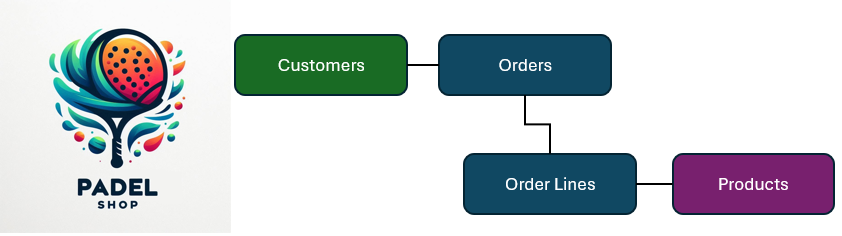
When I think about a simple structure for a Power App for a Padel Shop, I envision that at least the following tables would be created and the relations would be as follows:

  • a Customer can have zero, one or many Orders
  • an Order can have zero, one or many Order Lines
  • an Order Line can have one Product linked to it per order line
Copilot for multi-table structure

Using Copilot for multi-table structure

Now let’s try to use Copilot for multi-table structure which will be the foundation of our Power App for Padel Vamos:

  • Open https://make.preview.powerapps.com/
    Since this is still in preview I believe your environment should be hosted in the US in order to have access to this.
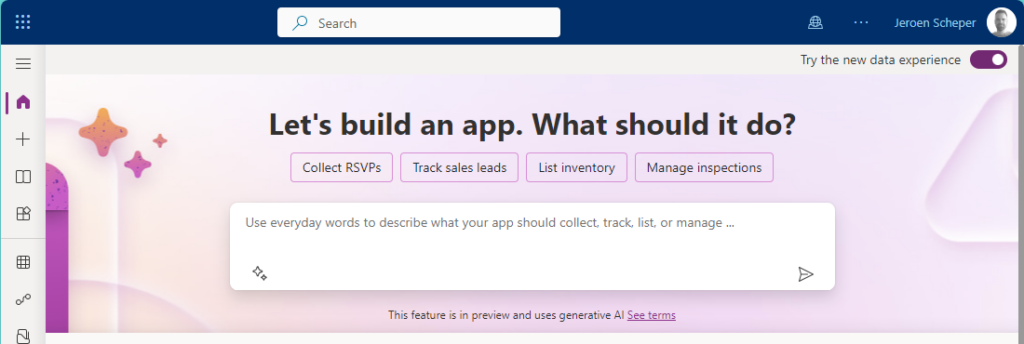
  • When launched, you immediately see the big Copilot screen asking “What should it do?“
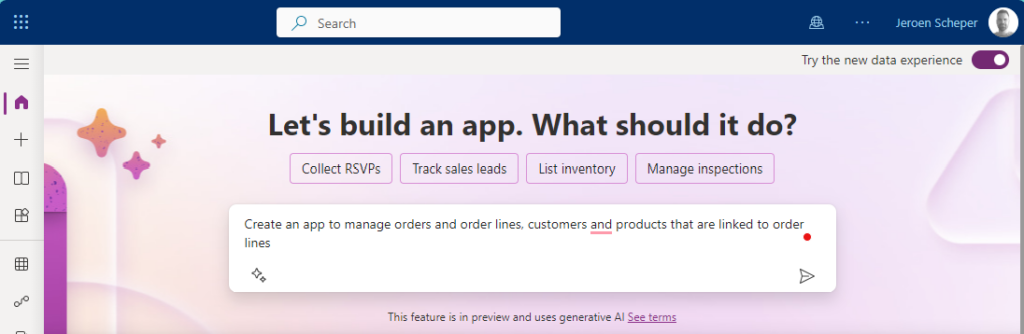
  • Will give the following prompt to Copilot: Create an app to manage orders and order lines, customers and products. Products are linked to order lines
  • Copilot now gets into action and will generate the tables and their relationships for you.
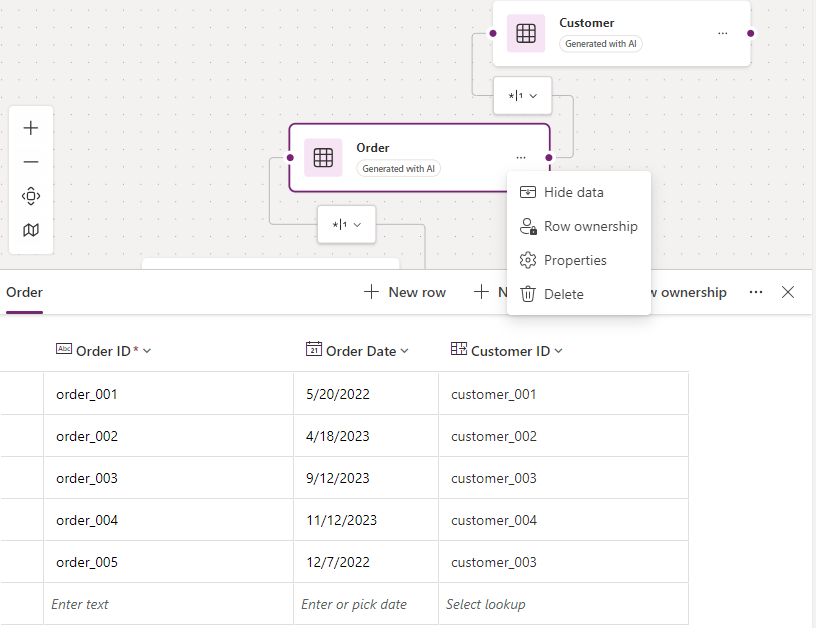
    As you can see it did identify the four different tables and linked them together properly, how cool is that 😎
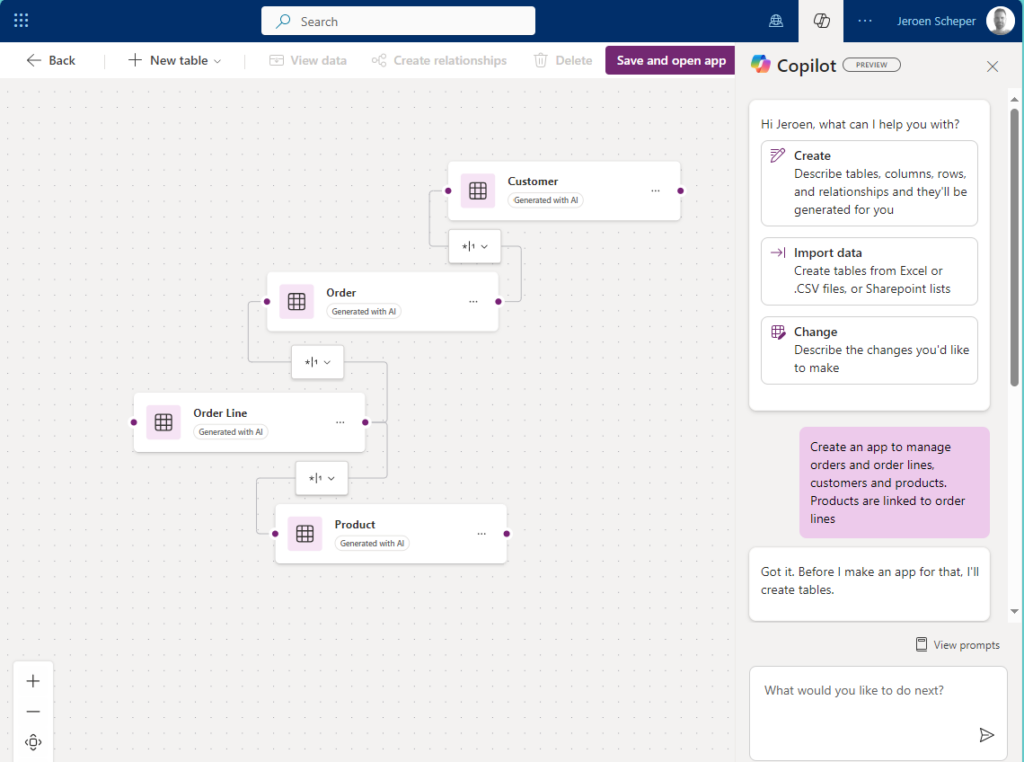
When clicking on the Order entity and selecting the three dots, you have the option to select View Data
This allows you to see the sample data it generated but also the different types of fields. As you can see for Customer it did generate a field of type Lookup
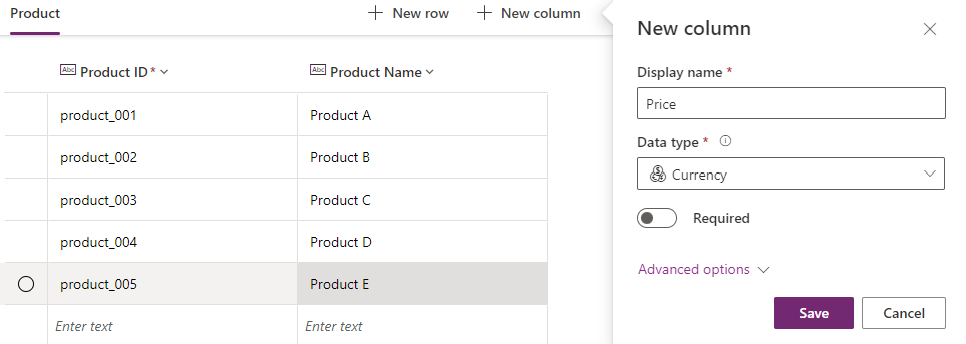
You also have the option now, to add or modify columns to your table easily. For example, if you would like to create a price field for a product you just navigate to the Product table and select + New Column
Generate sample data

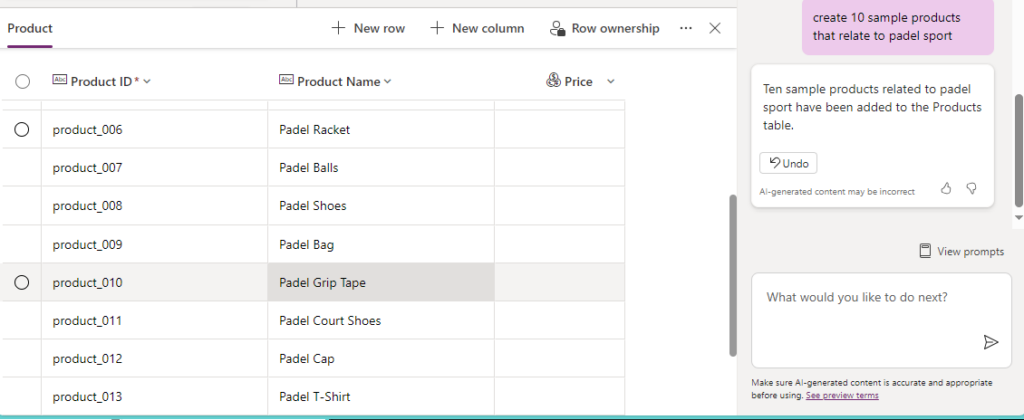
The last thing I would like to mention is that you can also easily use Copilot to generate more sample data that is specific to your app needs. This can speed up the testing process for example. So imagine that I would like to add products that relate to the sports Padel, I could do this easily by doing the following prompt: create 10 sample products that relate to the sport padel.
Padel Vamos Power App

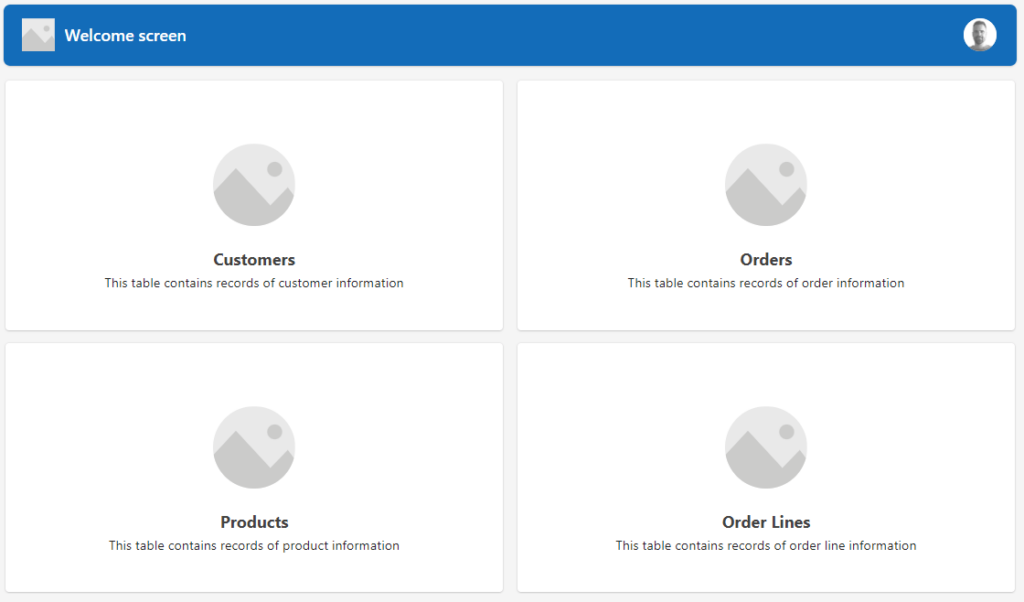
Once you are happy with the data architecture, the final step in order to create your multi-table structure for the Power App for Padel Vamos is to select Save and Open App from the ribbon. The beauty is that a whole framework is now generated for you and you can start working on fine-tuning your Power App. I hope this gives insights into how Copilot can speed up this process and work more efficiently.
If you would like to watch a great video on this hot topic, please check out the video from April Dunham on YouTube: Rapid Multi-Table App Development with Power Apps Copilot
Copilot Artificial Intelligence Generative AI Power Apps

Post navigation

Previous post
Next post

Related Posts

Copilot Studio AI Agent Johan his first prediction

AI Agent Johan his first prediction: Netherlands vs. Japan 🤖🐯⚽

Posted on June 11, 2026June 11, 2026

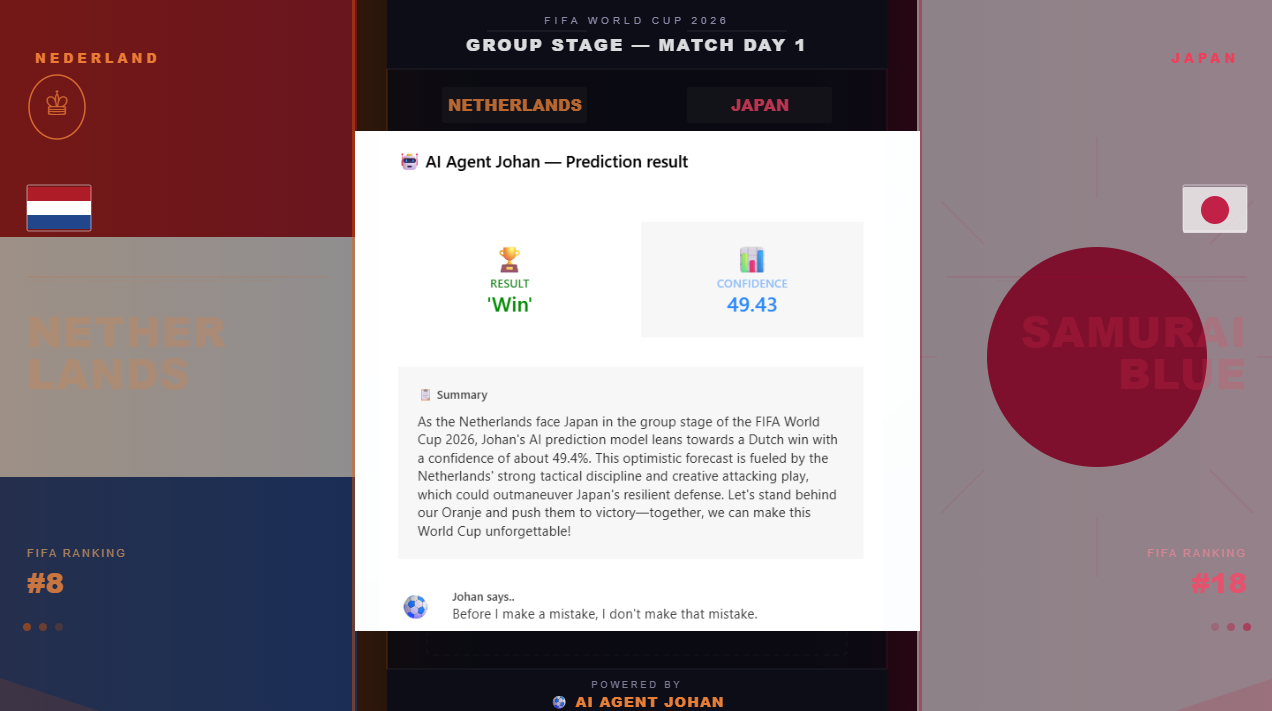
The four setup posts are done. Johan has a brain, a memory, and a voice. Now comes the part that actually matters the most if you ask me: the tournament⚽. Therefore the time has come, AI Agent Johan his first prediction in this post. The Netherlands kick off their 2026…

Read More
Sales

Make Sales Fun again, How to configure your own Gamification

Posted on December 10, 2025December 10, 2025

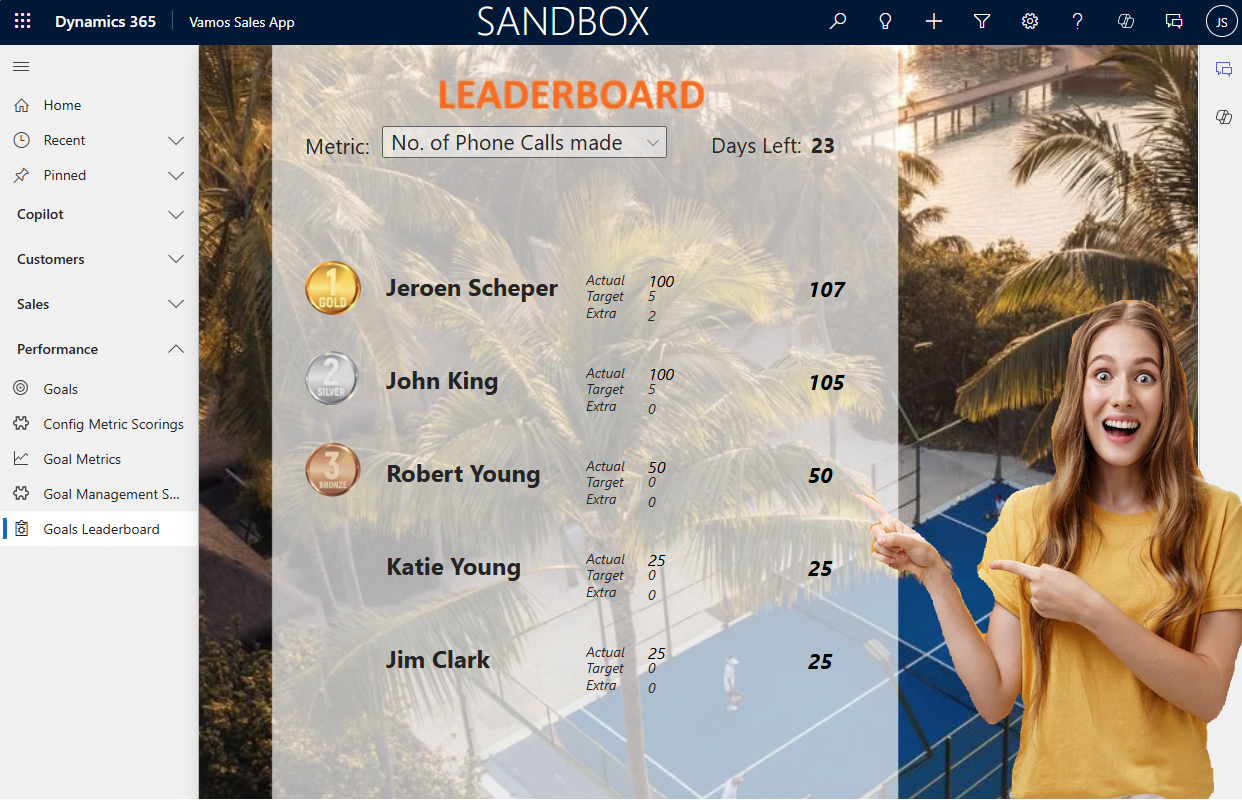
Making sales fun again and driving adoption, that was, in essence, what the gamification module was all about. Some of you can perhaps still remember the classic gamification module. Now it is time to configure your own gamification via some simple customizations. In this blog, I would like to demonstrate…

Read More
Model-driven Apps performance on lookup column

Slow performance on lookup columns with big datasets?

Posted on May 23, 2025May 23, 2025

When working with big datasets within a model-driven app, it can be a very frustrating thing, the performance on lookup columns when the dataset is big. Examples of these could be Accounts, Contacts, Products, or other cases, of course, depending on the business you are operating in. When I receive…

Read More

Leave a Reply Cancel reply

Your email address will not be published. Required fields are marked *

ABOUT ME

  • LinkedIn
  • Mail
  • GitHub
  • YouTube
"BizApps and PowerPlatform dude with a passion for AI, sitting relaxt in his black shirt on a bounty white beach with palm trees, a azure blue ocean in the background and enjoying a good coffee "

~GenAI - DALL.E 3 and GPT 3.5

Subscribe

Please wait...

Thank you for subscribing!

Search

Categories

  • Agents
  • AI Builder
  • AI Prompting
  • Artificial Intelligence
  • Copilot
  • Copilot Studio
  • Customer Insights
  • Customer Service
  • Dataverse
  • Field Services
  • Generative AI
  • Model-driven Apps
  • Personal Development
  • Power Apps
  • Power Automate
  • Power BI
  • Power Platform
  • Reporting
  • Sales
  • SharePoint

Archive

  • September 2026
  • July 2026
  • June 2026
  • May 2026
  • March 2026
  • February 2026
  • January 2026
  • December 2025
  • November 2025
  • October 2025
  • August 2025
  • July 2025
  • June 2025
  • May 2025
  • April 2025
  • March 2025
  • February 2025
  • January 2025
  • December 2024
  • November 2024
  • October 2024
  • September 2024
  • August 2024
  • July 2024
  • June 2024
  • May 2024
© 2024 - All rights reserved | Jeroen Scheper | Privacy Policy