What does the Copy Opportunity feature do? yeah I was surprise when I received the question when doing a demo recently about the sales process and talking about opportunities. But the button was there and I did not see it before.
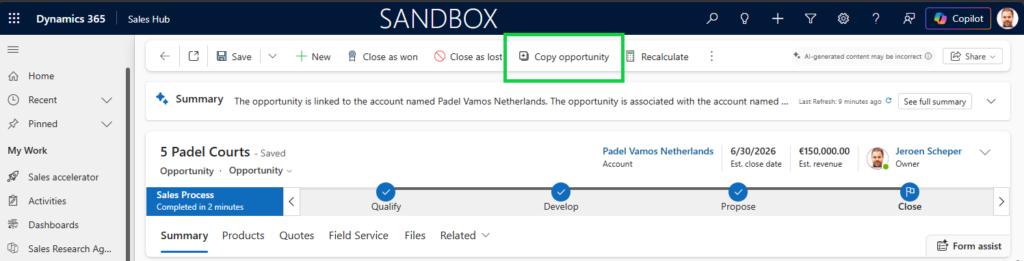
The new copy opportunity feature is a preview feature which is enabled by default and this is where is becomes interesting if you ask me, because what does this actually copy? Historically when someone would requested this I would have build a custom buttom, added it in the command bar, launched a fancy custom page and provided some input values for the new record.
When checking the documentation from Microsoft the following is listed about the copy process: (source MS Learn here)
| Category | Details |
|---|---|
| Copied initially | – Account, primary contact, and currency – Estimated value, budget, description, purchase timeframe, and ratings |
| Copied after save | – Every product line item (quantity, pricing; inactive products skipped) – Every stakeholder connection, role, and description – All custom fields (including hidden and off-form fields) |
| Reset to default values | – Status -> Open – Sales process stage -> first stage – Owner -> user initiating the copy – Created and modified timestamp -> current date and time – Actual close date -> blank – Actual revenue -> blank – Competitor -> blank (when copying lost deal) |
| Not copied | – Activities – Notes and attachments – Quotes – Orders – Invoices – Timeline |
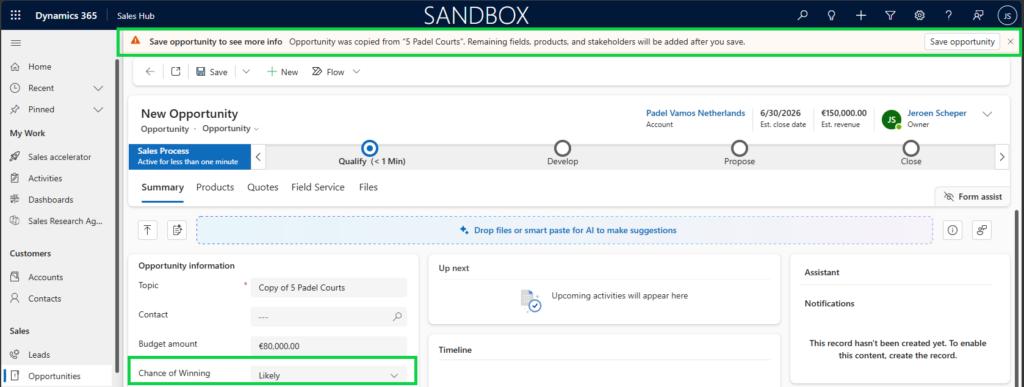
Looking at the list, the one that was worrying me the most was what would happen with custom fields on the opportunity record, but als you see in the table above, that are copied over which is great. I also tested this with a custom column called Chance of Winning which as you can see is copied over.
The three items that could be missing from the copy opportunity feature if yo ask me:
- if you were to have custom related tables that are linked to your opportunity.
- could this not be done for more tables instead of only opportunity, so make it configurable for more tables (for example quotes 😎)
- should you not have the option embedded to provide a popup (custom page) where you can straight away select the new account or site for example. This would be a bit similar to where you can override the opportunity win process
How to turn the copy opportunity feature off?
If you do like to turn this feature off for any reason, then follow the next steps to do so:
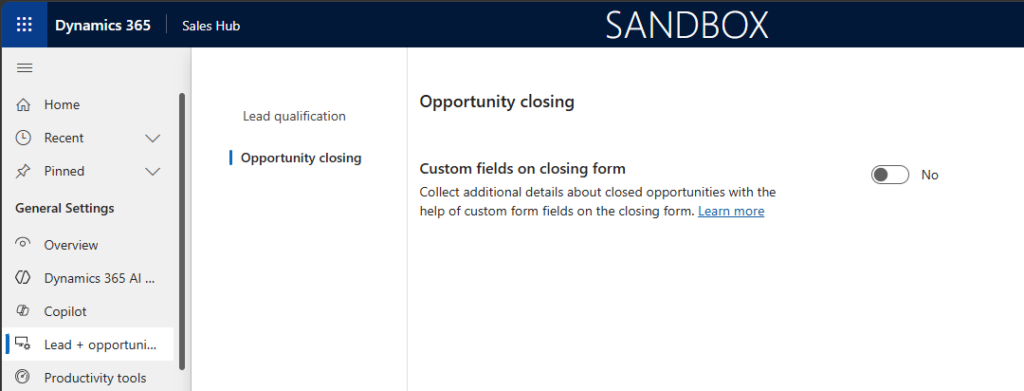
- Open the Sales Hub app
- Change the Area to App Settings
- In the General Settings section, select Lead and Opportunity Management
But now we get to the tricky bit, the Microsoft documentation (link here) is saying
Turn the Show ´Copy opportunity´ button toggle to No and save the changes.
Unfortunately the Opportunity Management section and therefore the Show Copy opportunity button toggle is missing and therefore I can’t turn this off. Perhaps therefore this is still a preview feature.
Overall I believe the Copy opportunity feature is a great feature to have, but making this more scalable would have been nice if you ask me.