Not so long ago Microsoft released a feature within Power Automate Flow supporting Version History. This allows makers to work according to the concept of a “draft / publish” model for Flows. Because of this, it is now also possible to restore to a previous version which can be a massive benefit when dealing with big and complex flows, Microsoft Thank you 🙂
The other thing I like about Power Automate Flow supporting Version History is that it will be so much easier to compare different versions of your flow, which increases efficiency if you ask me.
When building a flow within a solution, you will now have the option in the ribbon called Version History. This will open the side panel where you can find the history of actions to your flow.
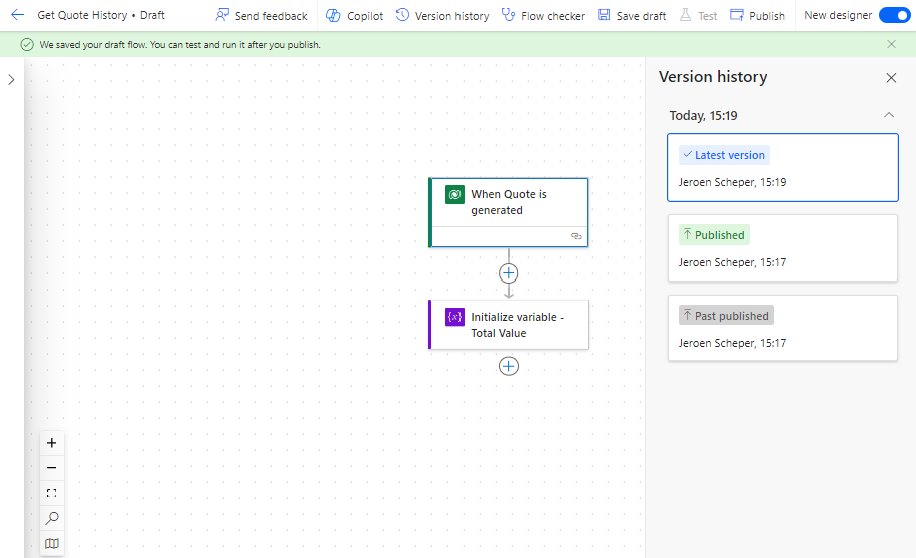
If you decide to make additional changes to your Flow and save this as a draft by selecting Save as Draft, new entries will be created in the version history.
In the example below I decided to extend the flow with a condition statement and Publish the flow again. Publishing is an important step because otherwise, changes will not have any effect when you execute the flow.

The cool thing is that now, when you click on the previous version (marked below) the flow will show that specific version on the left. On top of that, in the upper right corner, there is now an option available to Restore to that version.

When you decide to Restore, a final confirmation popup will be shown to check if you are sure.
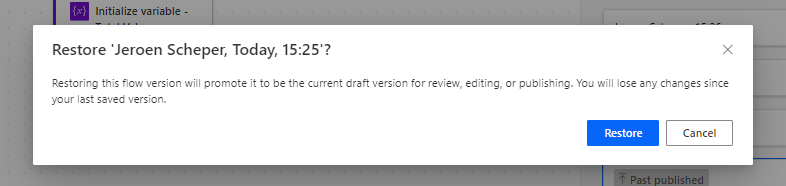
Once confirmed, the latest published version will now be the version you decided to restore to.

So to conclude, for me having Power Automate Flow supporting Version History is a great enhancement, especially when working with complex flows.